Let other agents call Mewbo
Mewbo runs as an MCP server, so the rest of your agent fleet can call it as a tool. Claude Code, Codex, Cursor, Windsurf and another Mewbo all qualify.
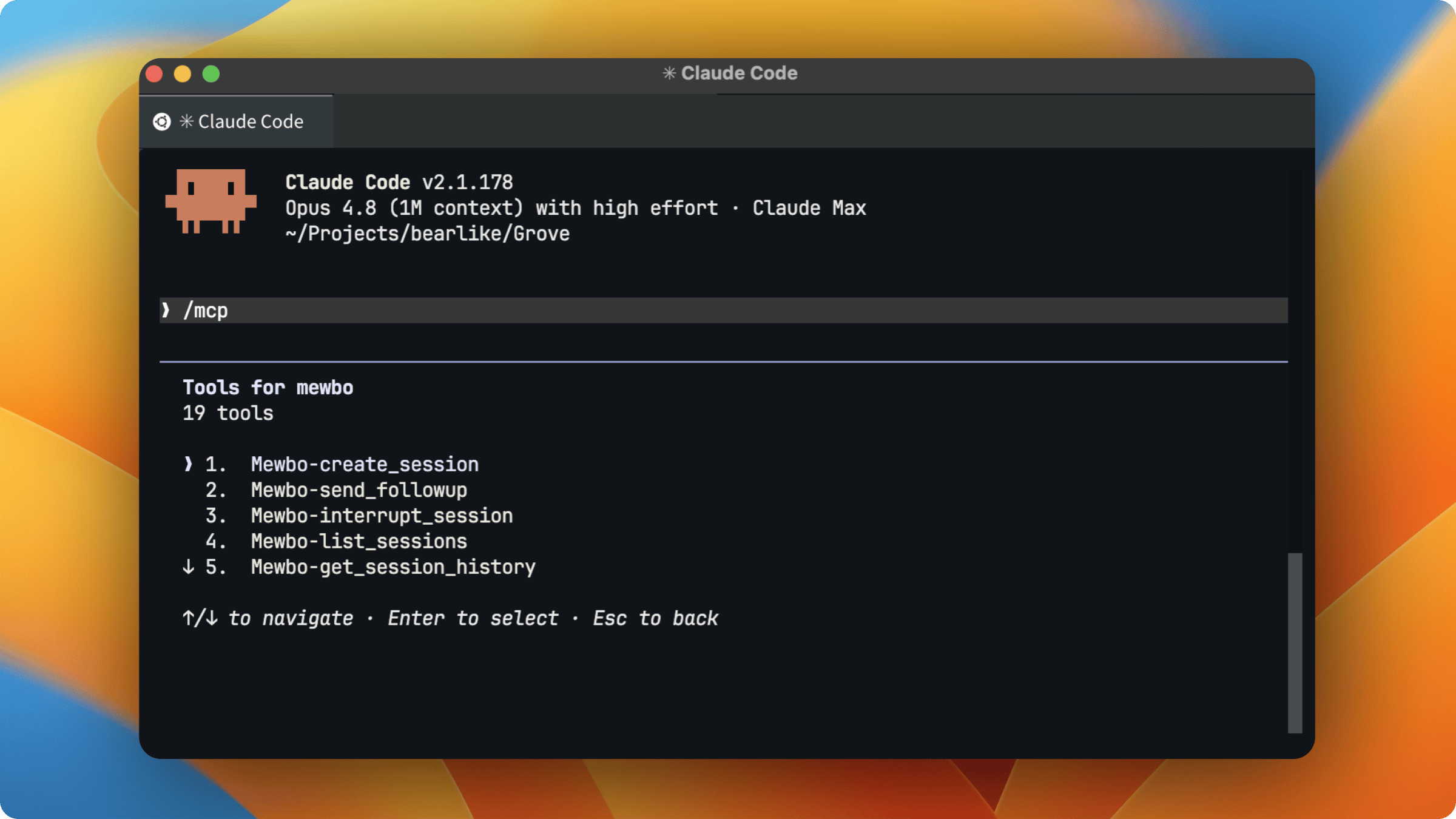
One key, issued and revoked by you
The MCP surface is curated, but the key behind it is not. Read Authentication before you hand one out.
What is MCP?
The Model Context Protocol (MCP) is an open standard that lets AI applications connect to tools and data through one interface. Mewbo speaks it in both directions, and this page covers the inbound half. External Tools (MCP) covers the other.
The Mewbo MCP server
You host Mewbo yourself, so the MCP server runs inside your deployment as the mewbo-mcp service.
Endpoint: https://<your-mewbo-host>/mcp (Streamable HTTP)
The Docker Compose deployment serves it on port 5127. Locally, uv run mewbo-mcp serves http://127.0.0.1:5127/mcp.
Authentication required
Every connection needs an API key that you issue from Mewbo.
- Open the console and go to Settings → API Keys.
- Create a key and label it after the agent that will use it. The key is shown once. Copy it before leaving the page.
- Add it to your MCP client config as a
Bearertoken. See Connect your client.
One key authenticates both the REST API and the MCP server, and stays valid until you revoke it from the same panel. Sessions created over MCP are tagged surface:mcp in Langfuse traces.
| Token | Prefix | Use |
|---|---|---|
| Issued API key | mk_ |
Per-agent credential created in Settings → API Keys. Valid on the REST API and the MCP server, and revocable. Recommended for agents. |
| Master token | operator-set string (default msk-strong-password) |
Break-glass admin credential, and the one that mints and revokes keys. No prefix is enforced. Never hand it to an external agent. |
Issue keys only to agents you trust
An issued key authorizes the full REST API, which can run shell commands, edit files, and spawn agents on your machine. Give each agent its own labelled key and revoke it the moment it is no longer needed.
Available tools
Sessions: create & control
| Tool | Description |
|---|---|
create_session |
Start a session from a prompt. Provisions a fresh git worktree and branch off the repo's base by default, so the work is isolated. Pass an explicit branch/worktree to target an existing one, and optionally set integrations, a title, or tags. |
send_followup |
Send a follow-up or steering message into a running or finished session. |
interrupt_session |
Interrupt the session's current step so the session can be steered or resumed afterwards. |
terminate_session |
Permanently terminate a session. Irreversible. Run, steer, recover and fork are blocked from then on, and every armed trigger is cancelled. The transcript stays readable and repeat calls are idempotent. |
Sessions: read at the detail you need
| Tool | Description |
|---|---|
get_session_history |
Read a session at one of four tiers, so you spend only the context you need. overview gives title, status, counts and tokens. turns gives one row per exchange. steps gives per-step tool and result previews for a turn. full gives complete step logs plus the sub-agent tree. |
list_sessions |
List and filter sessions by project, status, or recency. |
get_agent_tree |
Inspect a session's sub-agent hierarchy and lifecycle state. |
Wiki: query, ask & teach
| Tool | Description |
|---|---|
list_wiki_projects |
List the repositories indexed in the Agentic Wiki. |
read_wiki_structure |
Get a project's knowledge-graph structure. |
list_wiki_pages |
List a project's generated pages as {id, title} rows, optionally narrowed by a title substring. This is the index read_wiki_page consumes. |
read_wiki_page |
Fetch a single wiki page. |
graph_neighbors |
Walk a project's code graph outward from one node, reading stored edges with no model call. Answers what calls a symbol, what it contains, and what imports it. Find a node_id with read_wiki_structure(detail="nodes"). |
ask_wiki |
Ask a natural-language question about an indexed project and get a cited answer. See Question Answering. |
get_wiki_answer |
Fetch a wiki answer by its answer_id. Use it when ask_wiki returns status: "running". |
submit_insight |
Teach the wiki a durable fact about the codebase. The server condenses it into atomic notes, anchors each to the code it describes, and merges it against what is already stored. The code memory graph compounds as your agents work. |
Search: workspace queries
| Tool | Description |
|---|---|
list_search_workspaces |
List your saved Agentic Search workspaces with id, name, connected sources and recent query count. An optional query narrows the listing by case-insensitive substring. |
search |
Pass a workspace id or name and a question, and get back a synthesised, cited answer with ranked source results. Optionally scope to one project or choose detail="full" for per-result snippets. A run longer than the bounded wait returns a run_id with status: "running". |
get_search_run |
Fetch a search run by its run_id, to resume a running search or replay a past result. |
Structured Query: schema-constrained synthesis
| Tool | Description |
|---|---|
structured_query |
Describe what you want in plain English, pass a JSON Schema, and get back a validated object matching it. Optionally ground the run in a search workspace or enable tool integrations. Returns {run_id, status, output}. Grounding and graph-first routing behave as they do on Structured Outputs. |
get_structured_run |
Fetch a structured query run by run_id, to resume a running query or replay a past result. |
Triggers: read and cancel
| Tool | Description |
|---|---|
list_triggers |
List reverse-invocation triggers as compact rows, optionally scoped by session, kind, or status. |
cancel_trigger |
Cancel a trigger by id. Idempotent, so a repeat call just reports its status. |
Nothing here arms a trigger. That stays a capability a session exercises on itself, for the reason Triggers gives.
Discovery
| Tool | Description |
|---|---|
list_projects |
List the projects registered in your deployment with their names, git identity (host/owner/repo) and aliases. Pass a name or alias to create_session's project argument. |
list_integrations |
List the tools and plugins a client can switch on when it creates a session. |
Wire protocol
Any MCP client that speaks HTTP works.
It's a network service
Unlike a local stdio MCP server, this one is reached over the network. Put it behind the same TLS and reverse proxy as the rest of your deployment.
Connect your client
Claude Code
claude mcp add -s user -t http mewbo https://<your-mewbo-host>/mcp -H "Authorization: Bearer <API_KEY>"
Codex, Cursor, Windsurf, and other clients
{
  "mcpServers": {
    "mewbo": {
      "serverUrl": "https://<your-mewbo-host>/mcp",
      "headers": {
        "Authorization": "Bearer <API_KEY>"
      }
    }
  }
}
Fill in your own values
https://mewbo.example.com/mcp in production, http://localhost:5127/mcp locally, and your issued key for <API_KEY>.
What you can do with it
- Drive Mewbo from your IDE agent. Ask it to run a migration on a fresh branch and report back when the tests pass.
create_sessionisolates the work on a new worktree andget_session_historyreads back the result. - Ground other agents in your code. Another agent calls
ask_wikifor a cited answer from your codebase before it writes a line. - Let your fleet teach the wiki. An agent that learned something durable about the code calls
submit_insight. The nextask_wiki, from any client, is built on it. - Orchestrate a fleet. One agent fans work out to several Mewbo sessions and polls
get_session_historyat theoverviewtier to track them all.
Two directions of MCP
Mewbo sits at both ends of the protocol.
| External Tools (MCP) | MCP Server (this page) | |
|---|---|---|
| Direction | Mewbo is the client, calling out to other servers | Mewbo is the server; other agents call in |
| You configure | mcp.json: the servers Mewbo connects to |
An API key other agents authenticate with |
| Result | Mewbo gains more tools | Other agents gain Mewbo as a tool |
Related resources
- REST API is the surface the MCP server wraps.
- Agentic Wiki is what
ask_wikiandread_wiki_*query. - Connecting remote MCP servers to Claude and OpenAI's guide to remote MCP cover client setup for other ecosystems.