Reply from your inbox
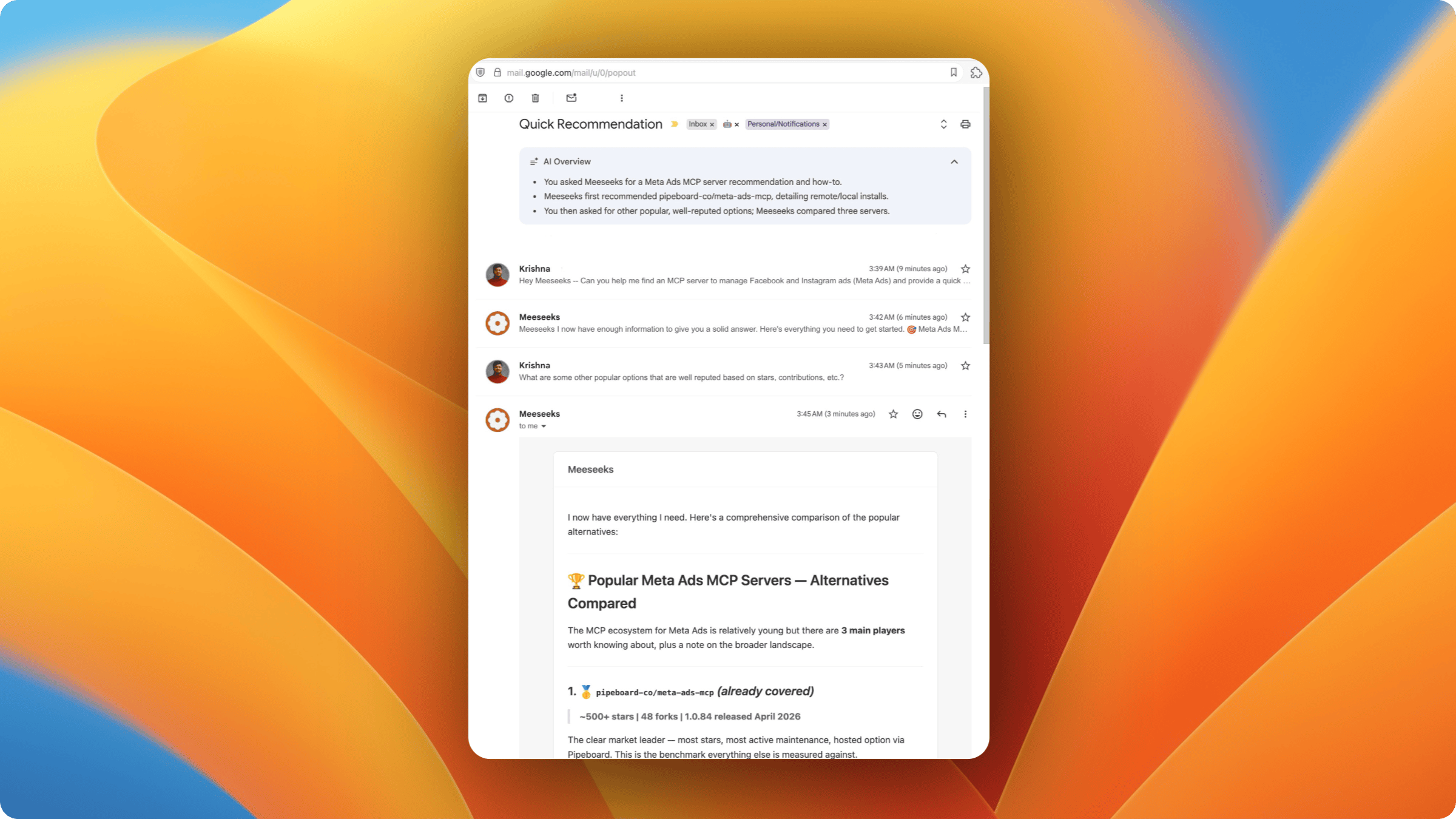
Email Mewbo and it replies. Send a message to the configured mailbox, get a styled HTML reply, and keep the thread going to stay in the same session.
How it works
Mewbo polls the mailbox over IMAP and runs each new email through the same channel pipeline as every other adapter. Replies go back over SMTP as multipart messages, a styled HTML body plus a plain text fallback.
Access control
allowed_sendersis the only gate. It lets through listed addresses and silently ignores and marks read everything else.- An email addressed to you alone is always processed. No mention keyword is needed.
- A thread with multiple
ToorCcrecipients only gets a reply when@Mewboappears in the body.
Session model
Threads map to sessions through the References and In-Reply-To headers.
- A new email, one with no
In-Reply-Toheader, creates a new session taggedemail:thread:<sender>:<Message-ID>. - A reply, one carrying
In-Reply-ToorReferences, resolves the existing session through the thread root'sMessage-ID.
Outbound replies carry In-Reply-To and References too, so mail clients group them into the same thread.
Slash commands
Send the command as the email body.
| Command | Description |
|---|---|
/help |
Show available commands |
/usage |
Show session context usage and token budget |
/new |
Start a fresh conversation (clears context) |
/switch-project <name> |
Switch active project context |
Configuration
Add to configs/app.json under channels.
"email": {
  "enabled": true,
  "imap_host": "imap.example.com",
  "imap_port": 993,
  "imap_ssl": true,
  "smtp_host": "smtp.example.com",
  "smtp_port": 587,
  "smtp_starttls": true,
  "username": "[email protected]",
  "password": "app-password-here",
  "from_address": "Mewbo <[email protected]>",
  "mailbox": "INBOX",
  "poll_interval_seconds": 30,
  "allowed_senders": ["[email protected]", "[email protected]"]
}
What the example above does not show.
| Field | Description |
|---|---|
username / password |
One credential pair serves both IMAP and SMTP. Typically an app password. |
from_address |
Display name and address for outbound mail. Defaults to username. |
mailbox |
IMAP folder to poll. Default INBOX. |
poll_interval_seconds |
Seconds between mailbox checks. Default 30, minimum 5. |
smtp_ssl |
Implicit TLS instead of smtp_starttls. |
Response rendering
The adapter converts the agent's markdown to HTML styled with inline CSS, which is what Gmail, Outlook and Apple Mail need. Headings, bold, italic and links render as written. Code blocks get a monospace font on a light background, and tables get borders and padding. The raw markdown rides along as a plain text fallback for clients that cannot render HTML.
Limitations
- Attachments are not processed on inbound email. File metadata is ignored too.
- Rate limiting does not exist on the poller.
- Polling latency is bounded by
poll_interval_seconds. IMAP IDLE push is not supported.
How it works internally