Set up the web console
The web console is Mewbo's browser client. Watch an agent work in real time, run Search and the Wiki, and open a full browser IDE, all in one tab.
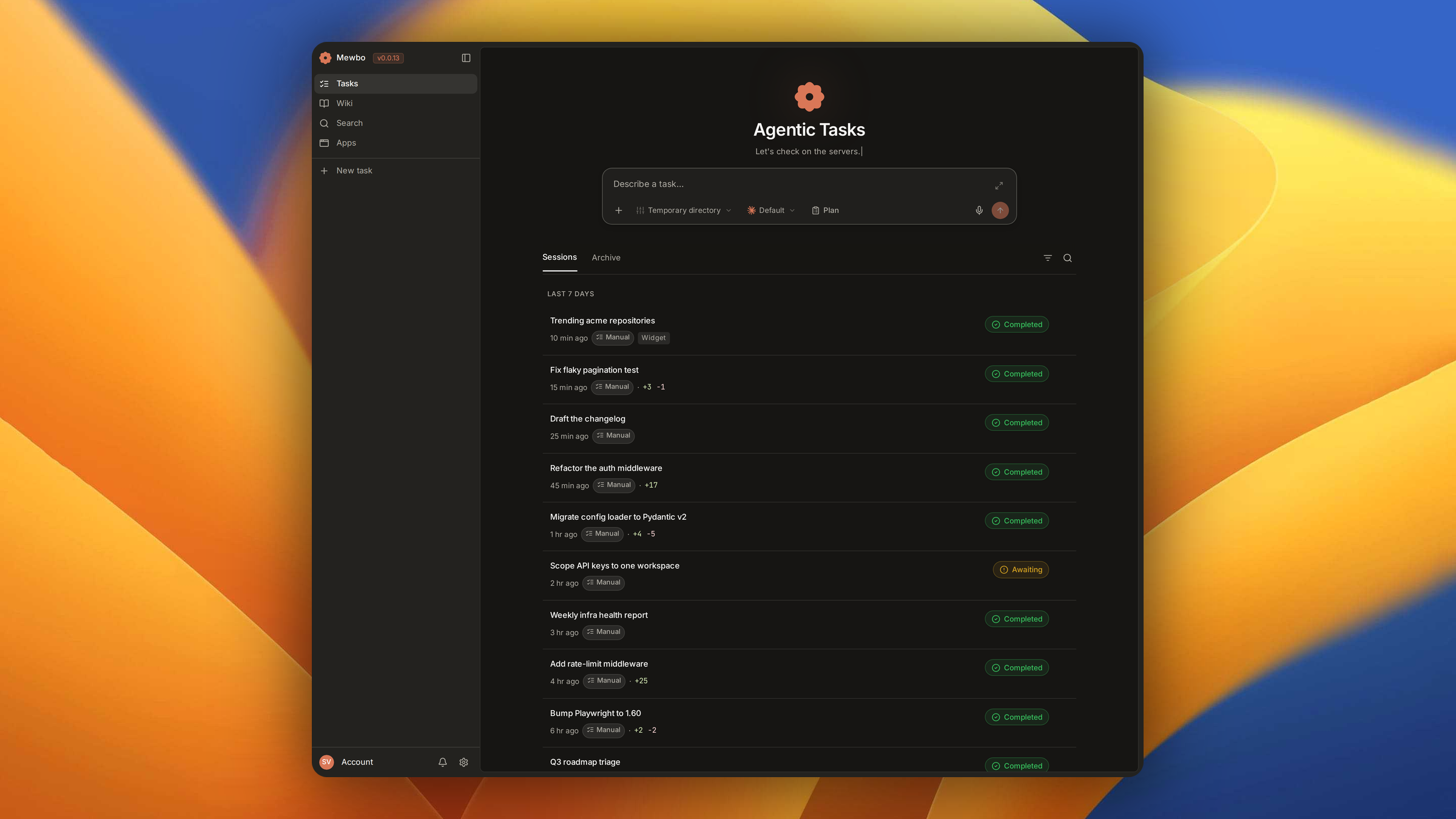
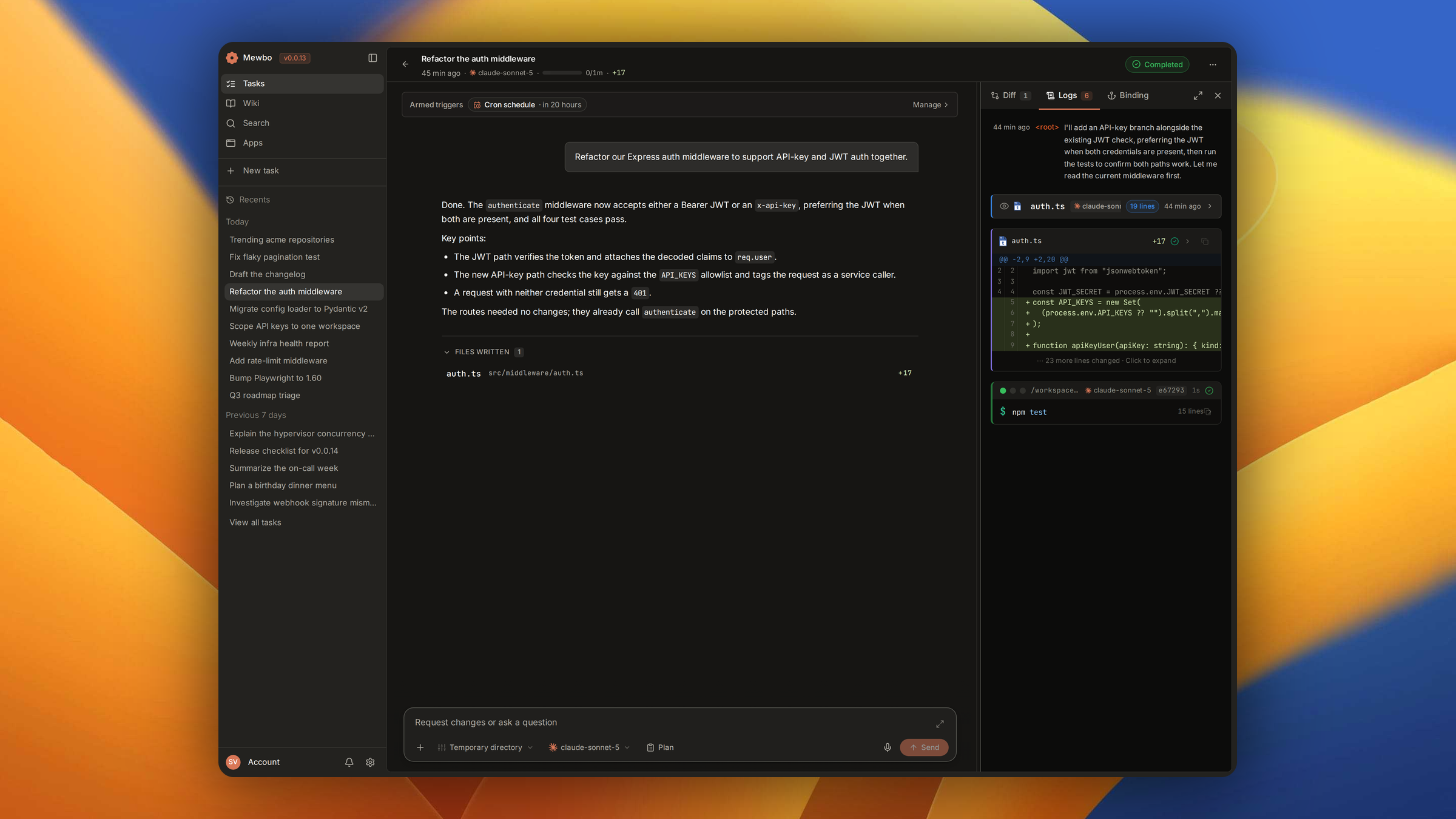
Submit a task and the timeline streams live. Tool calls, file edits, shell output and sub-agent activity render inline as cards, so you hand off a task, walk away, and come back to a replayable trace rather than a log.
Mewbo also runs as a terminal CLI and as the Aura Android client. The console is the only surface carrying the Agentic Search and Wiki product UIs, including the 3D code graph, and the only one that opens a browser IDE beside a running session.
What you need
Stand up the API first, then point the console at it.
| Requirement | Notes |
|---|---|
| A running Mewbo API | The console is a client over the REST API. See Get Started. |
| Node.js 20.19+ (or 22.12+) | The range the pinned Vite requires, for the development server only. The Docker image ships a pre-built console. |
| An API key | Must match api.master_token on the API. See Sign in below. |
Launch the console
Use Docker for a deployed stack, the Vite dev server for frontend work.
Docker Compose
The published stack builds and serves the console alongside the API. Follow the Docker quick-start, then open http://localhost:3001. It runs on host networking with a fixed port, so there is nothing to configure. The full reference lives in Docker Compose.
Development server
Run the Vite dev server against a local API.
# Start the API in one terminal
uv run mewbo-api

# Start the console in another
cd apps/mewbo_console && npm install && npm run dev
The dev server proxies /api/ requests to 127.0.0.1:5124 by default. These variables override that.
| Variable | Purpose |
|---|---|
VITE_API_BASE_URL |
API server URL (default http://127.0.0.1:5124) |
VITE_API_KEY |
Frontend key, must match api.master_token on the API |
VITE_API_MODE |
live for direct API access, auto (default) for mock fallback |
Sign in
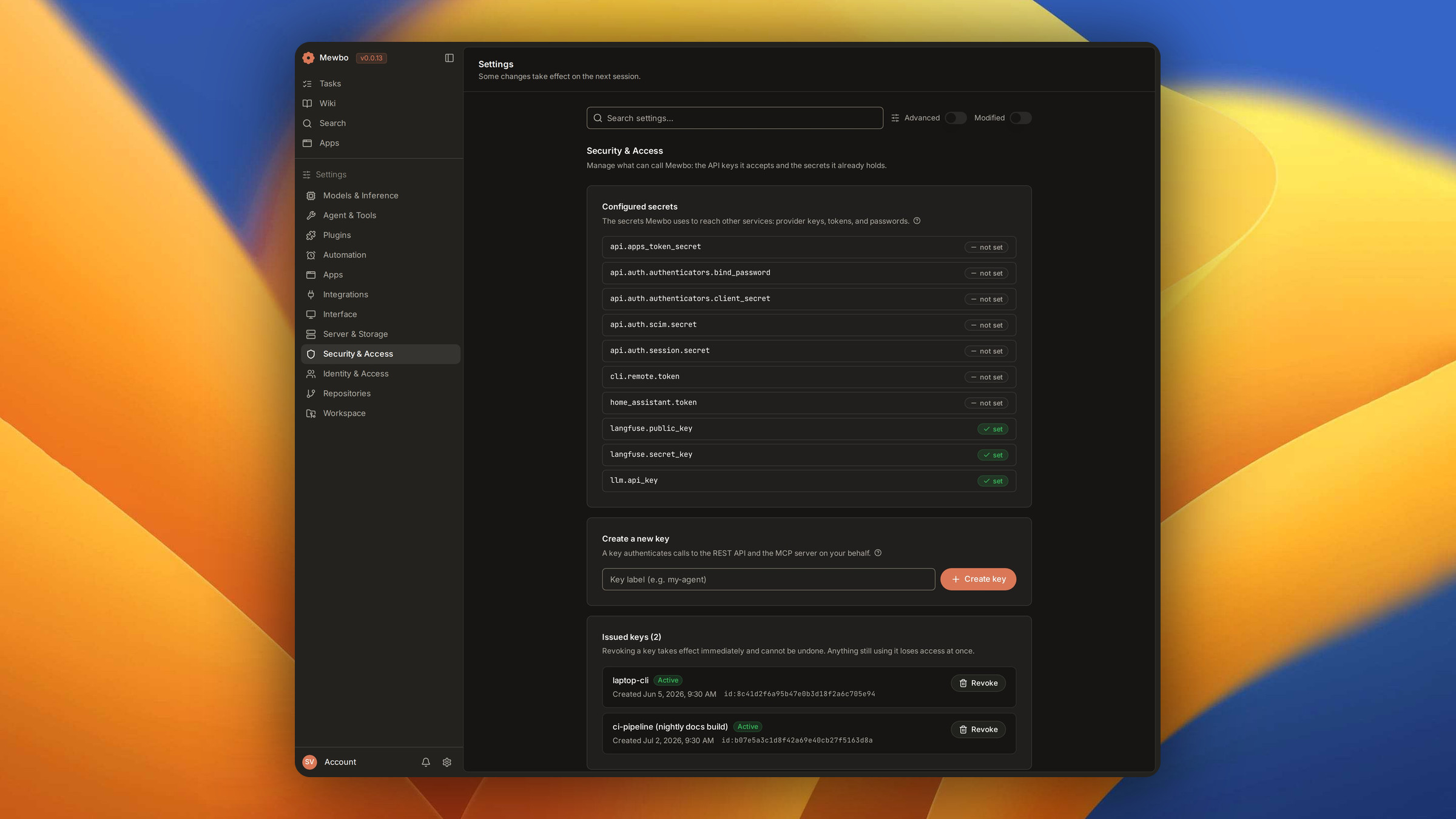
The console authenticates every request with an API key. Mint and revoke keys from Settings, under Security & Access. Each key authenticates the REST API and the MCP server. Docker bakes the key in from MEWBO_VITE_API_KEY, which must equal MEWBO_MASTER_API_TOKEN on the API. Development reads VITE_API_KEY.
Your first session
The shortest path from a blank console to a finished task runs like this.
- Open the console home, which is the session list and the composer.
- Type your request and submit. Project, model and tool scope are optional, and the defaults work for a first run.
- Watch the run. The reply streams in, a progress card tracks the plan, and tool calls, edits and sub-agent work render as cards.
- Steer or stop from the composer while it runs. Once it settles, the session stays in your list to reopen, fork from any message, or export.
Next steps
- Sessions. The list, the composer, live streaming, steering and recovery.
- Search and Wiki. Both product UIs, including the 3D code graph.
- Web IDE. A full browser IDE tied to a session.
- Widgets. Interactive panels rendered inline in the conversation.
- REST API Reference. The programmable surface the console sits on.