Get cited answers about a repo
The console hosts two products built on Mewbo's engine. Agentic Search runs a question across many sources and returns a cited answer. The Wiki turns a repository into browsable pages, a question and answer surface, and a 3D code graph. This page is the console surface for both.
Agentic Search
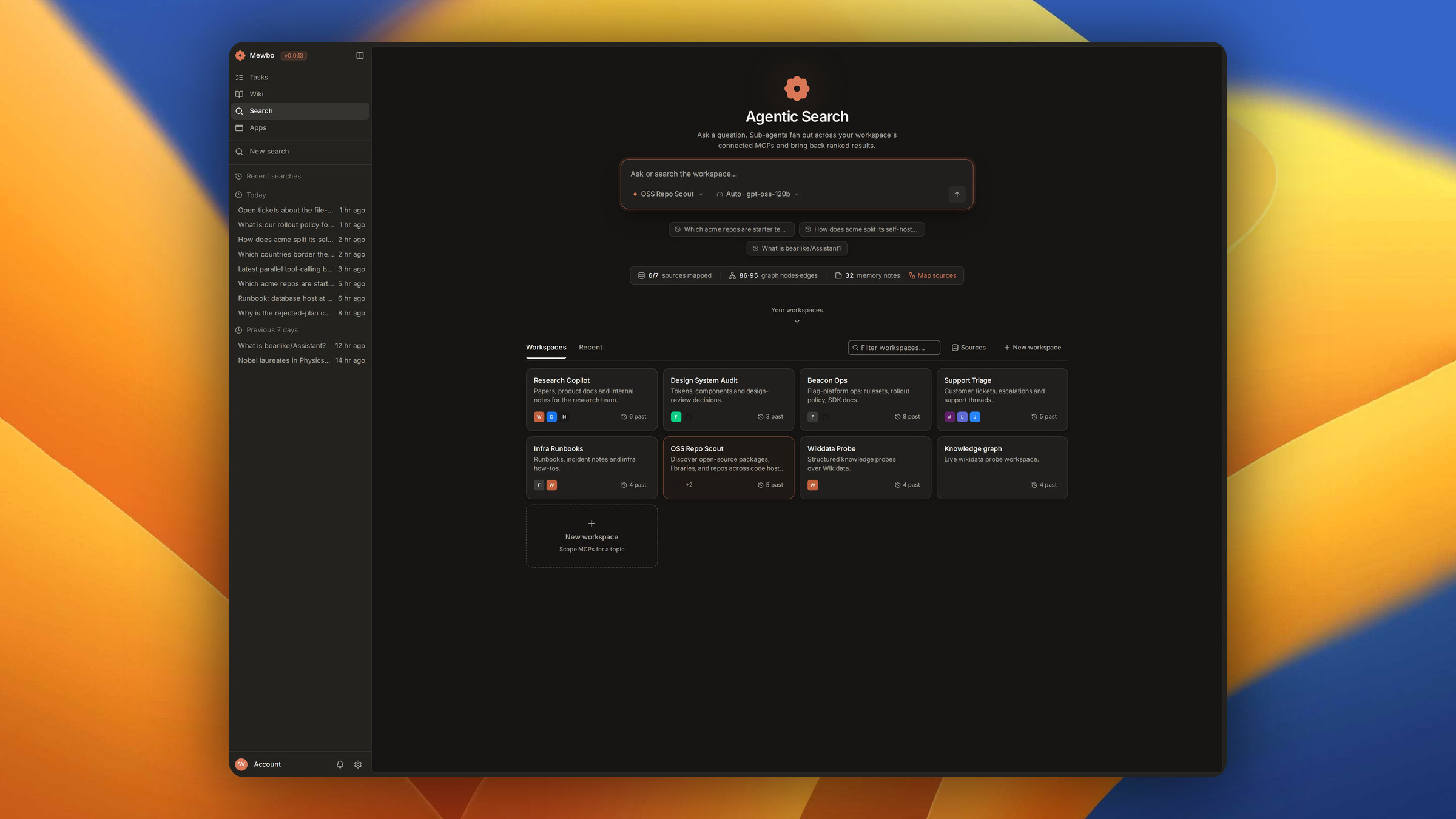
Search lives at the /search route, driven by AgenticSearchView. A question fans out across the sources saved in a workspace and comes back as a synthesized answer with its supporting results.
Run a search
Type a question into the search composer and submit. The landing page is inert until you do, and opening it never starts a run on its own.
The composer toolbar carries exactly two controls. One names the active workspace. The other is SearchScopeControl, holding the tier, the model and the source configuration behind one menu. Its pill names the resolved setting at rest, so the current tier and model read without opening anything.
Tiers
The tier is the run's one budget knob. Agentic Search gives the three settings and what each spends. Picking one from the scope menu clears any model override, so a stale model from a previous tier never silently wins. You can still override the model for a single run from the same menu, without editing your config.
The results and cited answer view
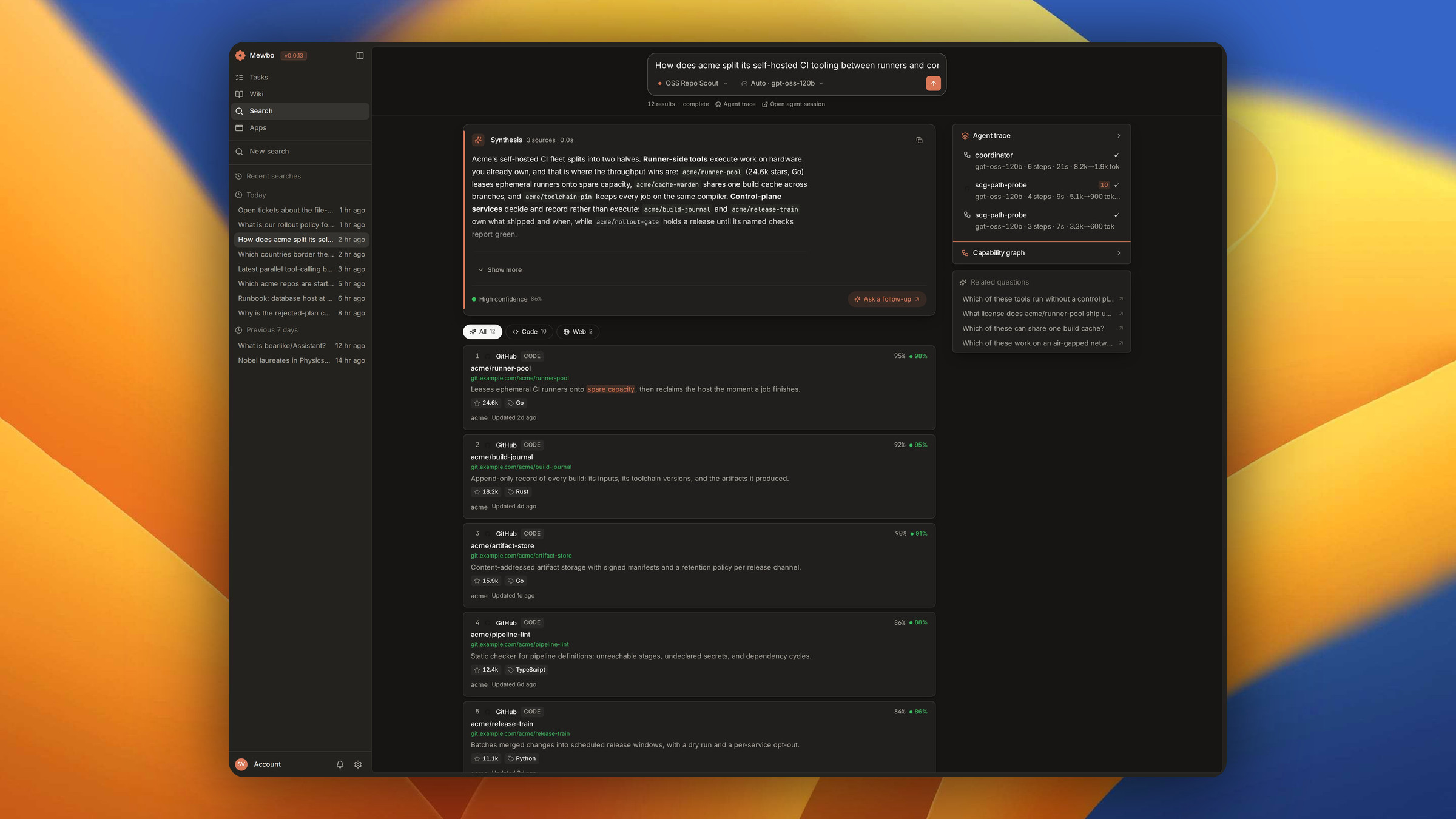
Everything in the results view derives from events the run actually emitted, never from a synthetic timer.
The answer. The synthesized answer streams in at the top as markdown. Its confidence and source count show only when the run earned them. An unknown value is left blank, never faked as zero.
Result cards. Each card is a reading surface for one supporting result, expanding only when there is more to show. The title links out when a URL exists, and a button prefills the composer with another question about that result.
The instrument rail. The right rail reads instruments for each lane and for the run as a whole, leading with its kind and a pip counting its results. A field renders only when present. Below 1100 pixels the rail hides and the trace stays reachable from the run meta row.
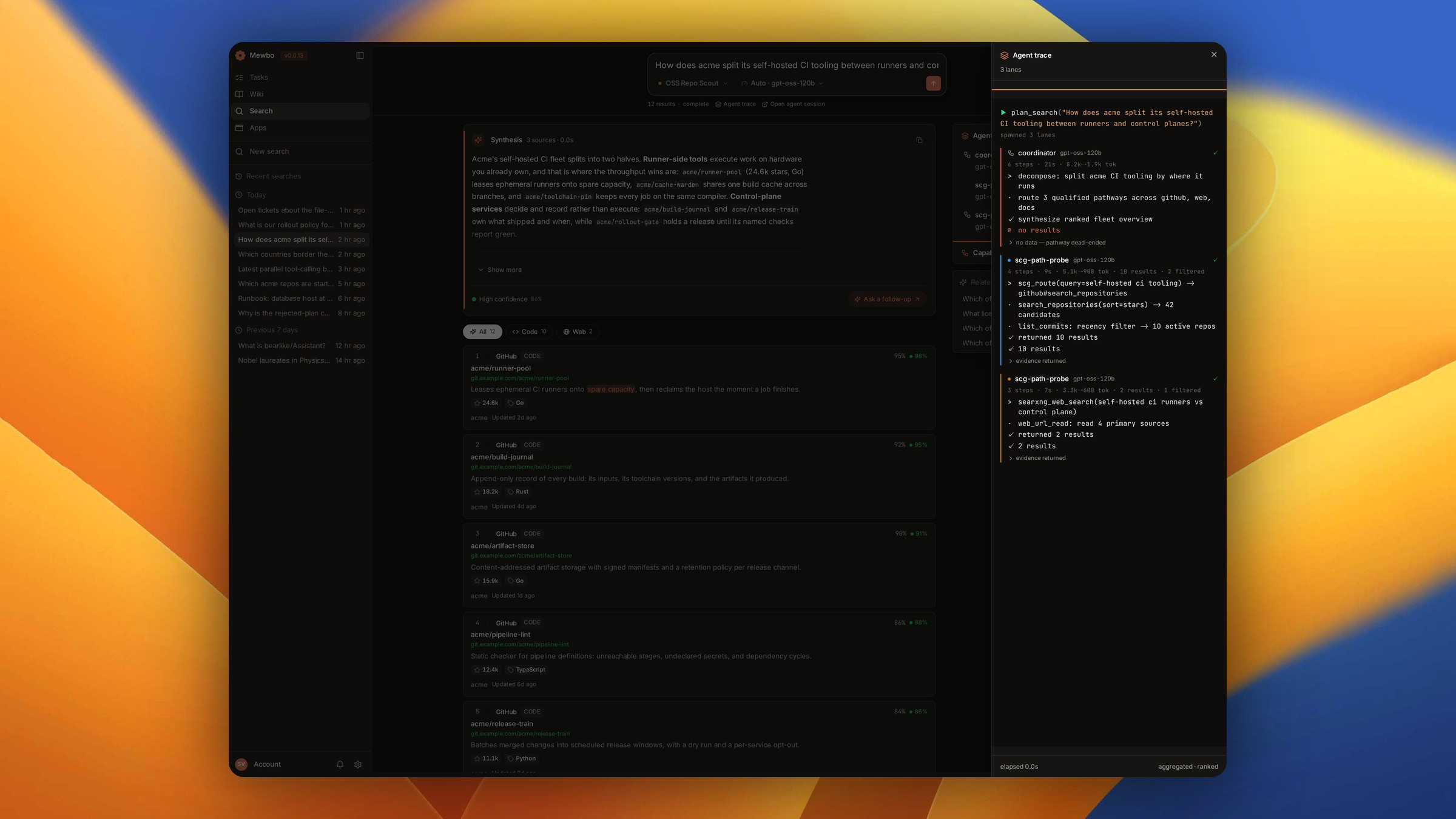
The agent trace. Open the trace for each lane's kind, model, steps and terminal evidence. From the run meta row you can also open the underlying agent session, cancel a running search, or go one tier deeper. A finished run is shareable as a link.
For the engine itself and the graph of source capabilities behind it, see Agentic Search and Source Capability Graph.
Wiki
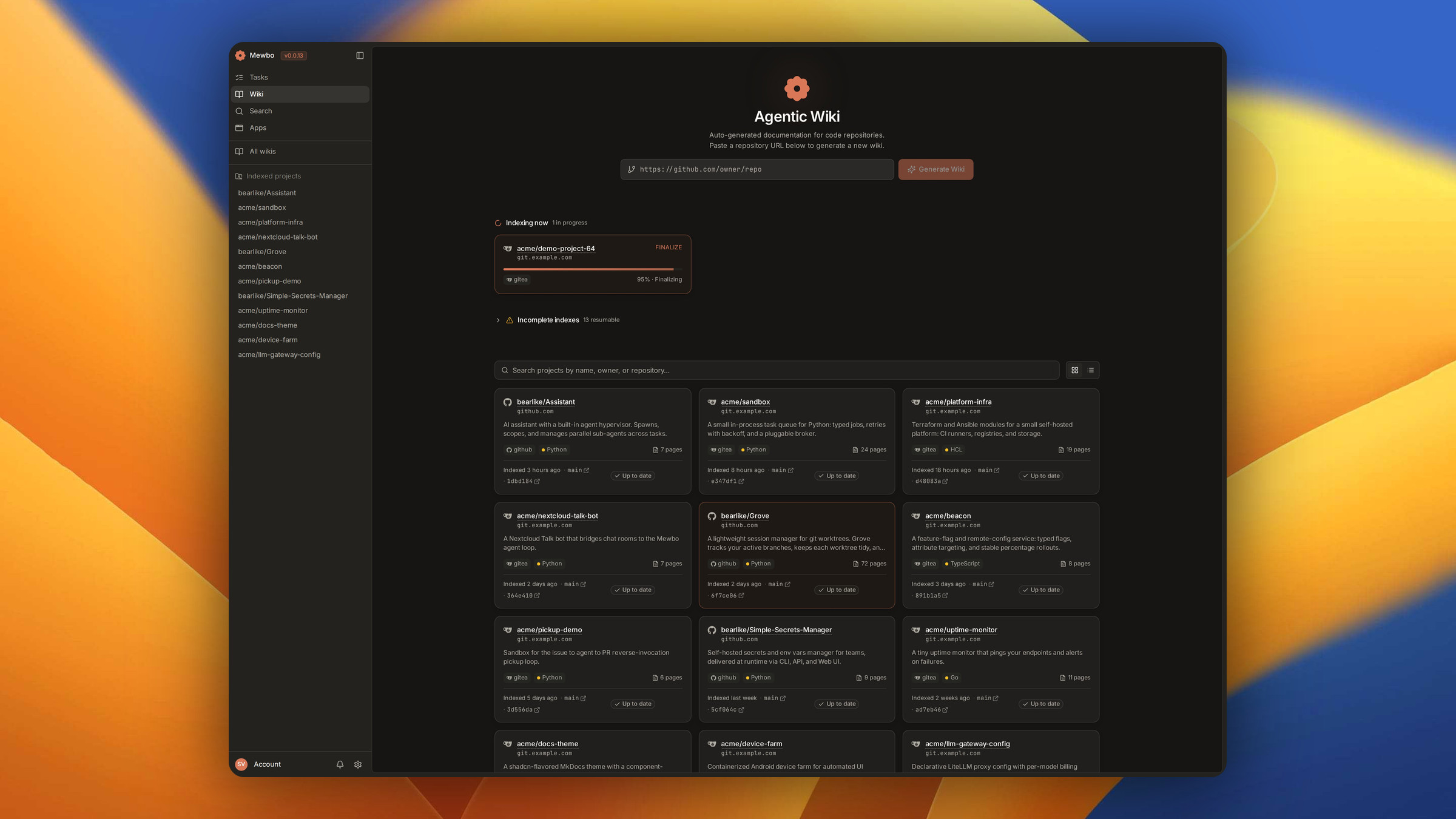
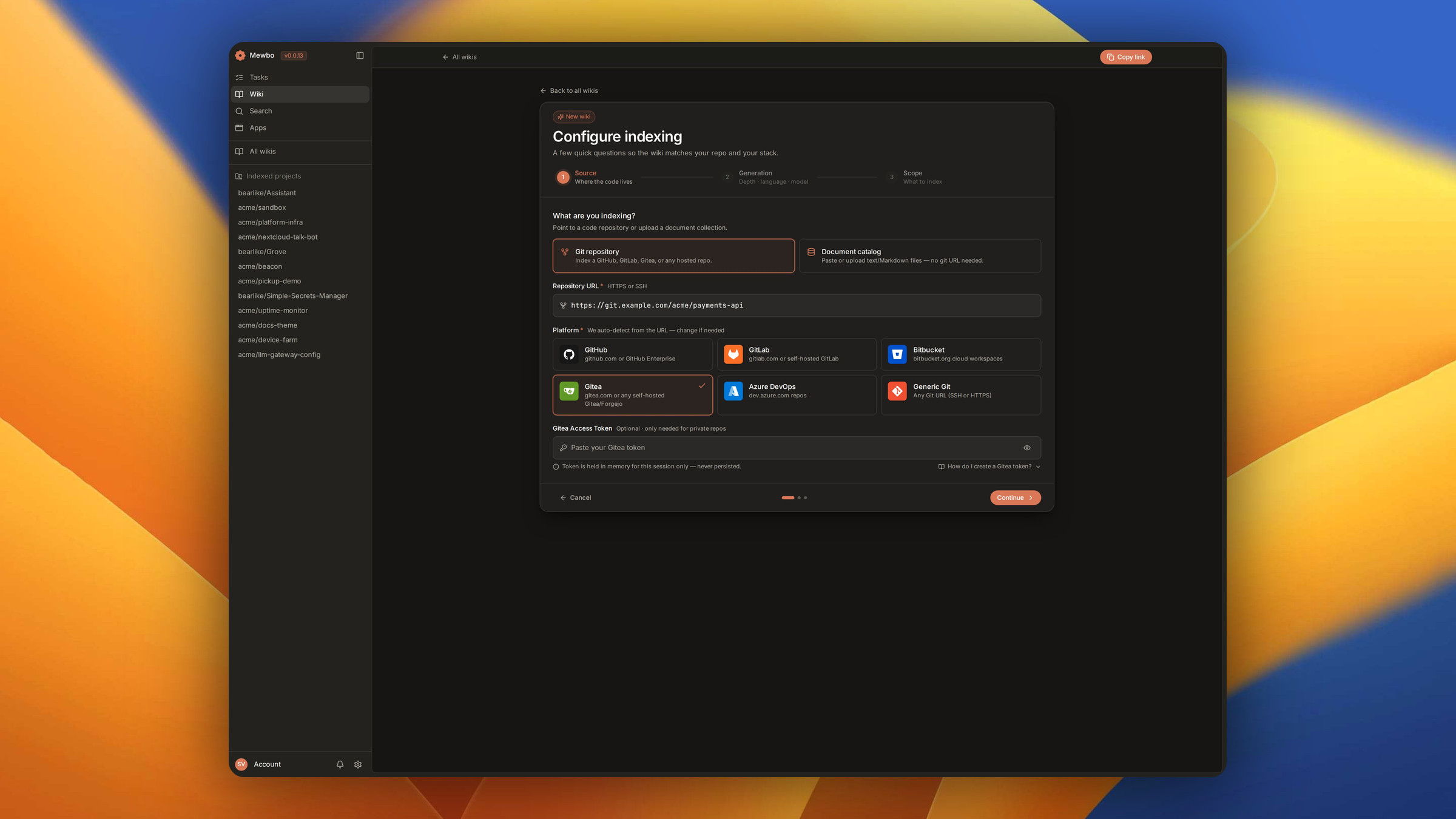
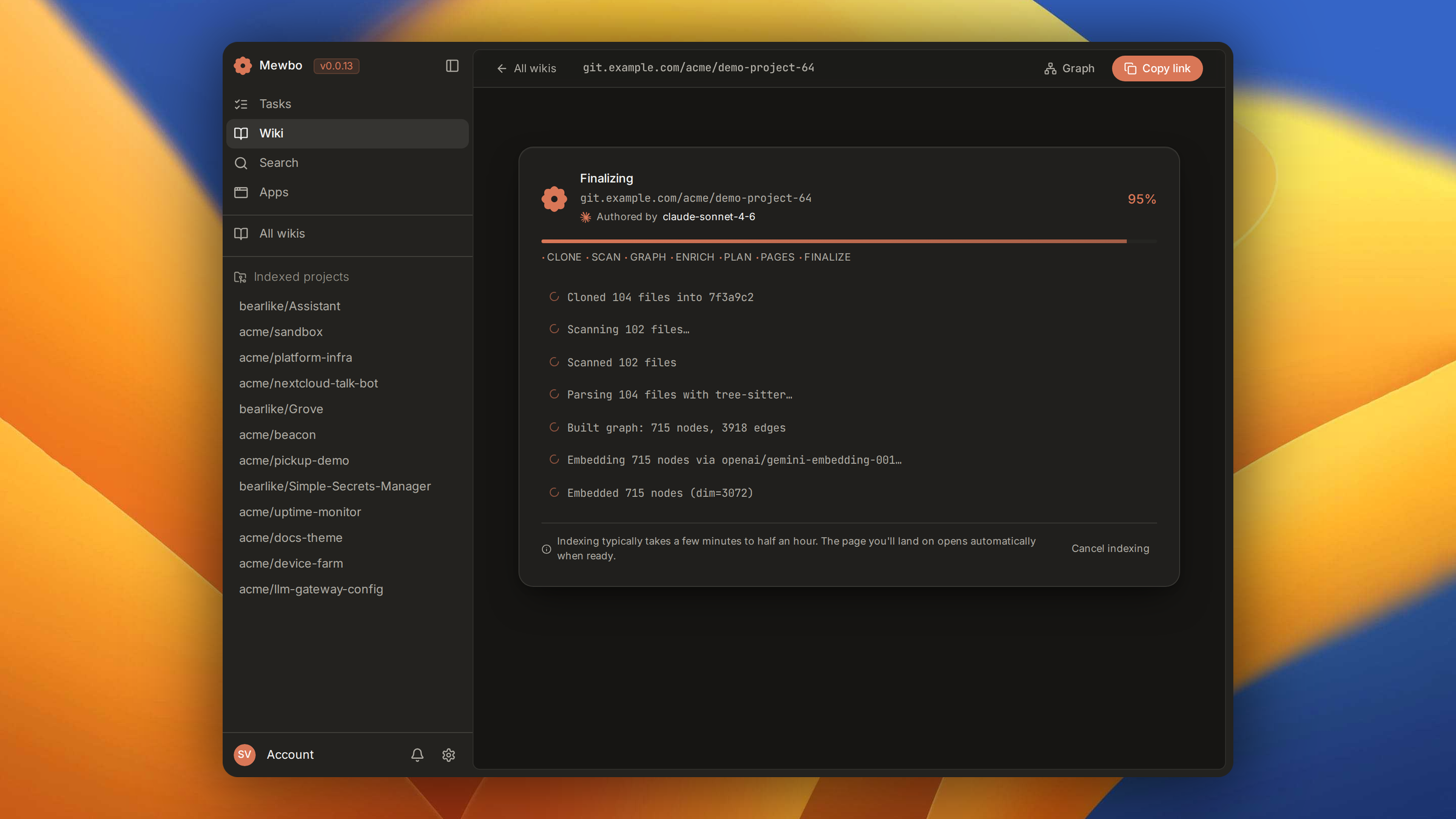
The Wiki lives at /wiki, resolved by WikiApp. To index a repository, browse the gallery and follow the configure wizard. See Wiki indexing for that flow.
Registering a repository costs nothing and starts nothing. Generating the wiki is the deliberate step.
Browse the pages
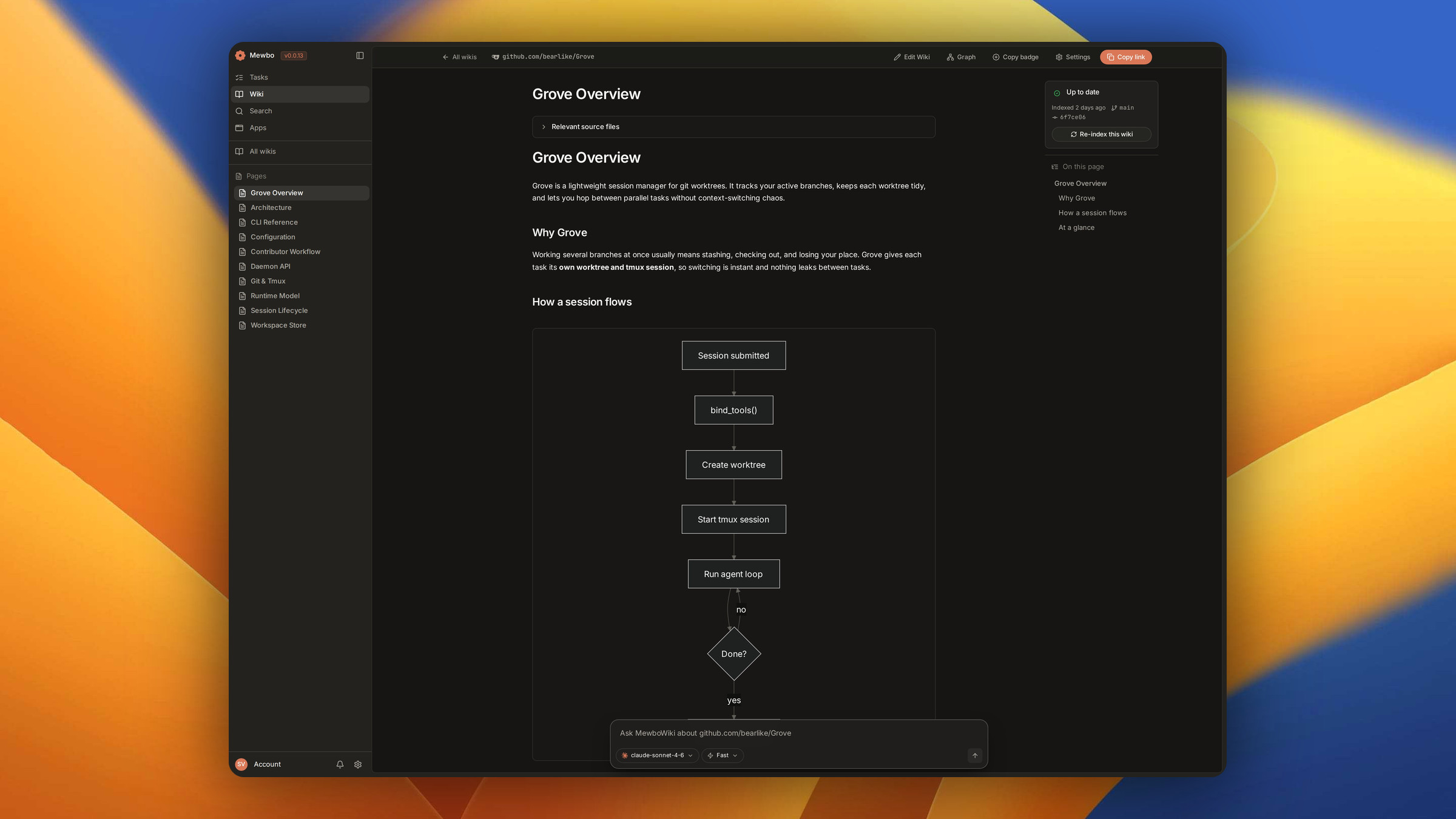
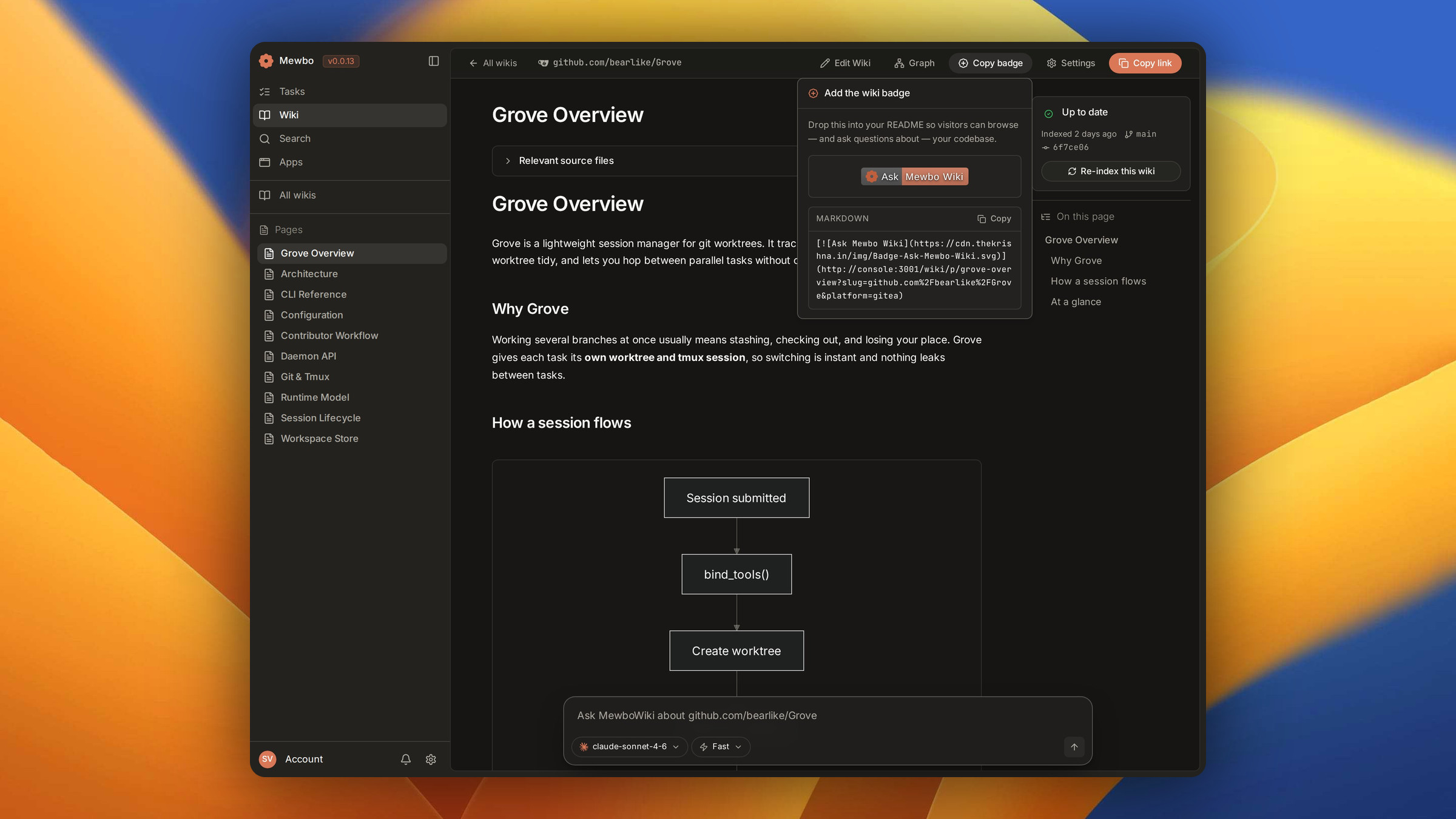
The article renders as markdown with syntax highlighting and diagrams, between a page navigator and a table of contents that tracks your position. A maintainer can copy a badge for any page, linking a README straight back into the wiki.
Ask a question with citations
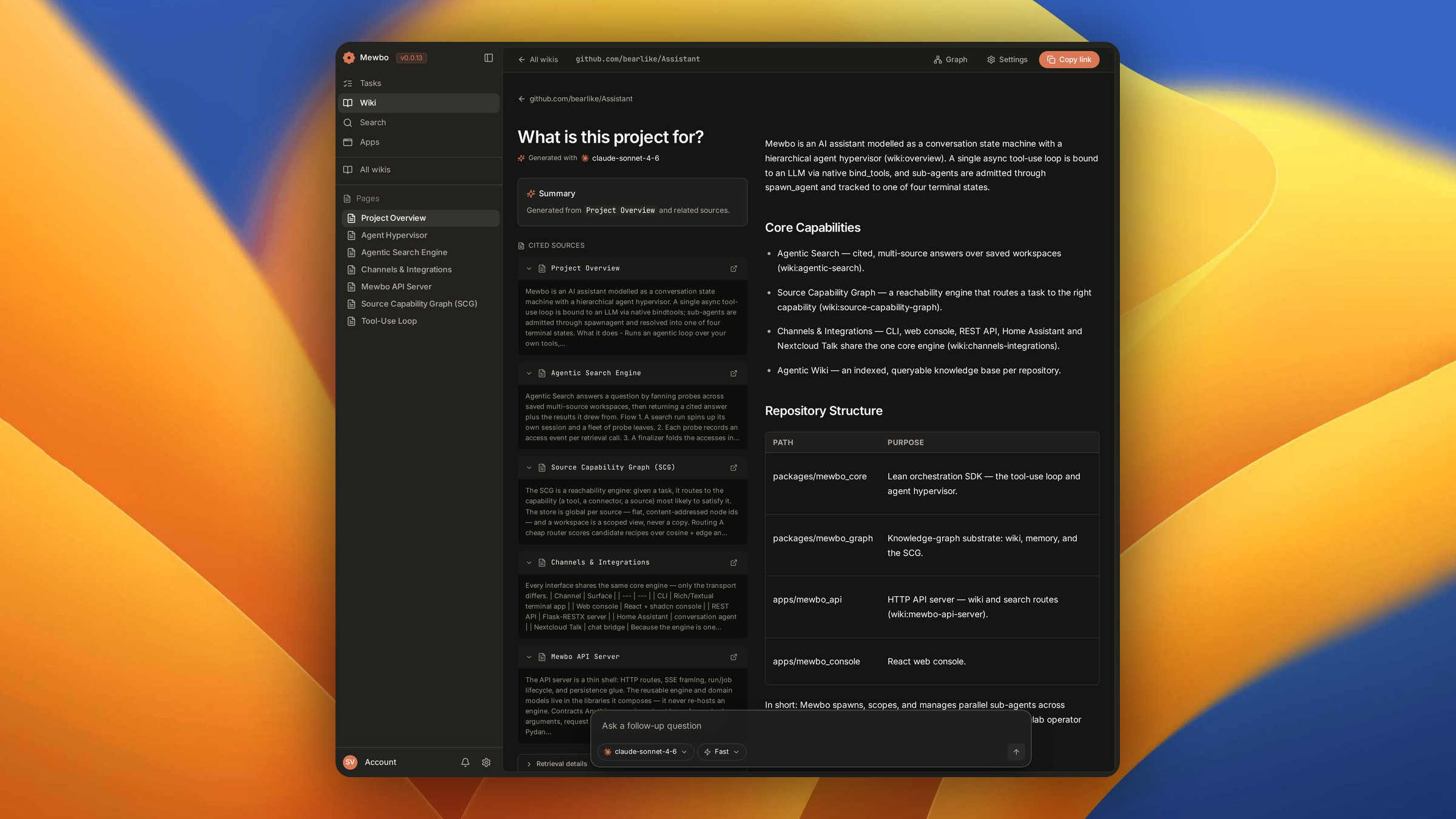
Ask from the floating composer and the answer streams into the left column of QAScreen, with citation chips inline in the prose. Click a chip and a file with a known repository opens at the exact line range in a new tab. Otherwise the chip scrolls to a source card holding the cited evidence.
A completed answer is addressable through a ?answer=<id> URL, so a refresh or a shared link replays it with no new model call.
For the retrieval and citation model behind the Wiki, see Wiki and Wiki question and answer.
The 3D code graph
The Wiki includes an interactive 3D graph of the repository. It is a WebGL Code Galaxy, not a flat diagram, rendered through the shared engine Graph3DView that also drives KnowledgeGraph3DScreen.
It draws all three layers of the knowledge graph. Folders start collapsed and expand on demand, keeping a large repository responsive. The toolbar filters nodes by name, toggles kinds and layers, and fits or resets the view. Click a node to inspect it in a side panel. The same engine powers the Agentic Search workspace graph, where the nodes are mapped source capabilities and their anchored memory notes.
For the graph substrate and its schema, see Wiki code graph.
Next steps
- Sessions. The session list, the composer and live streaming.
- Agentic Search. The engine, its tiers and retrieval across sources.
- Source Capability Graph. The graph that backs search over saved sources.
- Wiki. Indexing, page generation and grounded answers.
- Wiki code graph. The multiplex graph substrate.