Generate docs from your code
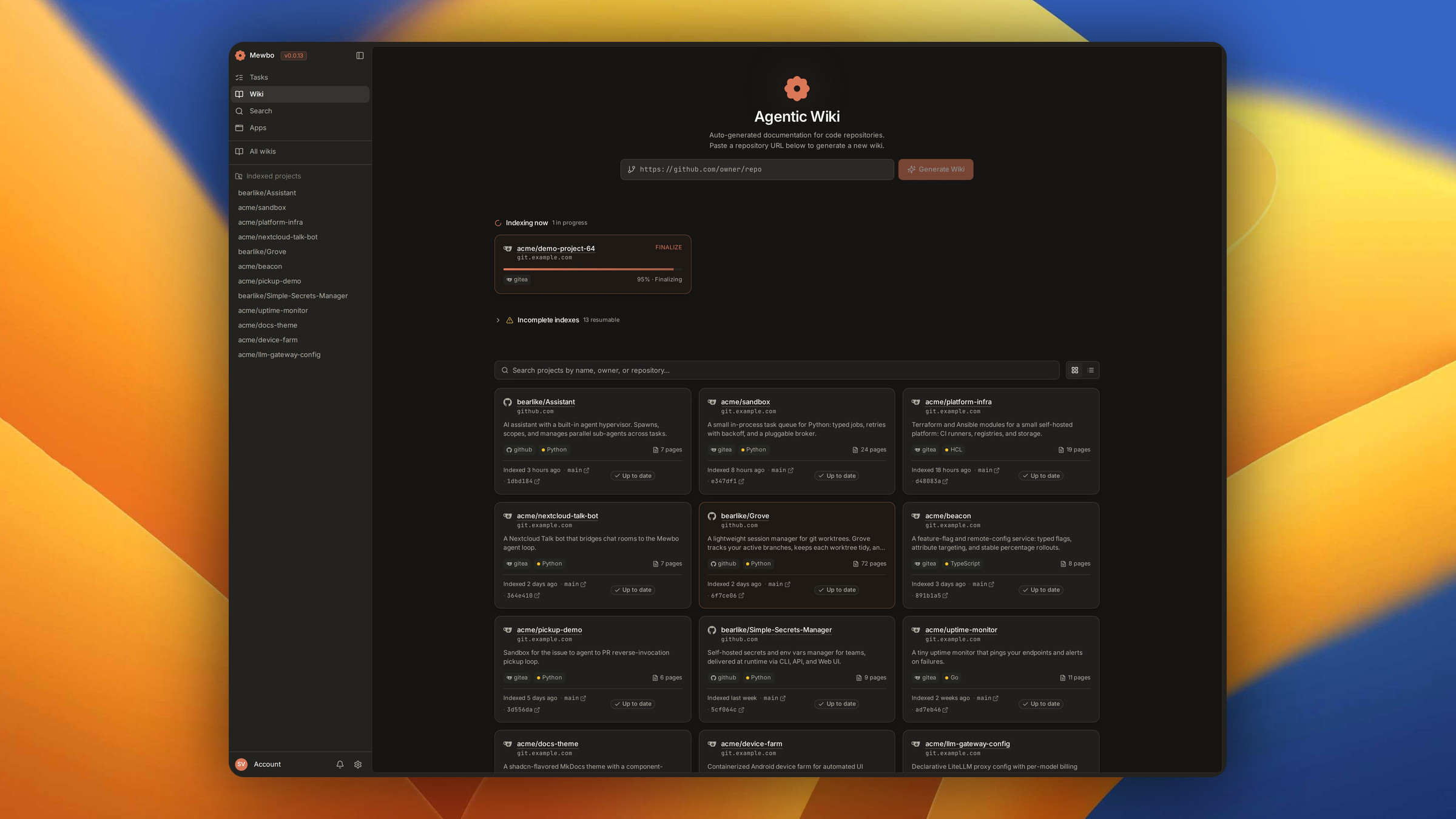
Paste a repository URL and Mewbo writes the documentation for it. The Agentic Wiki lifts the code into a graph and generates a wiki from it, every page citing the source files it was written from. Ask a question on any page and probe agents answer from that same graph.
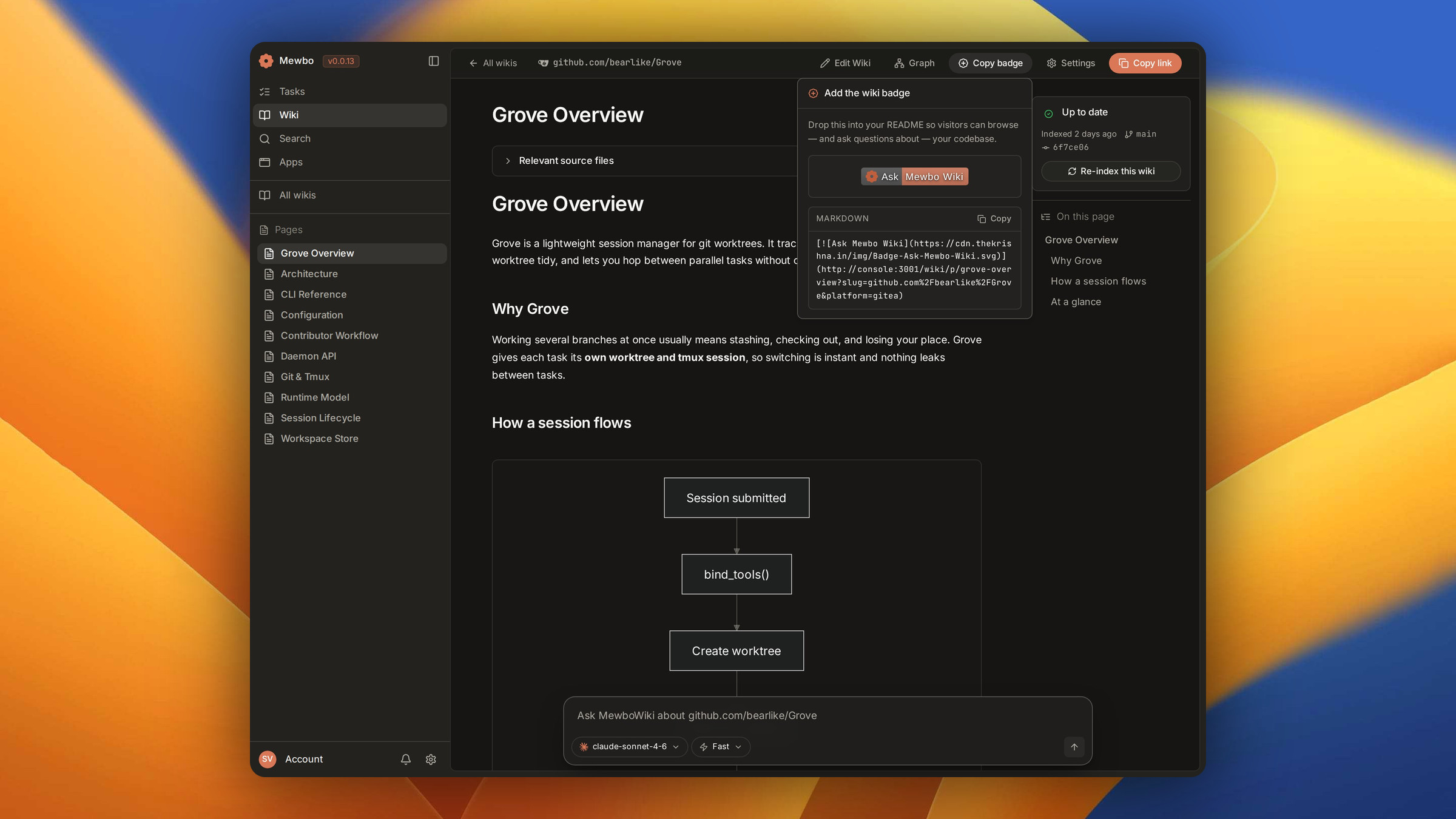
Inside the product, the Q&A box and the README badge still carry the older MewboWiki name.
What you get
A generated wiki is a full documentation site for one repository.
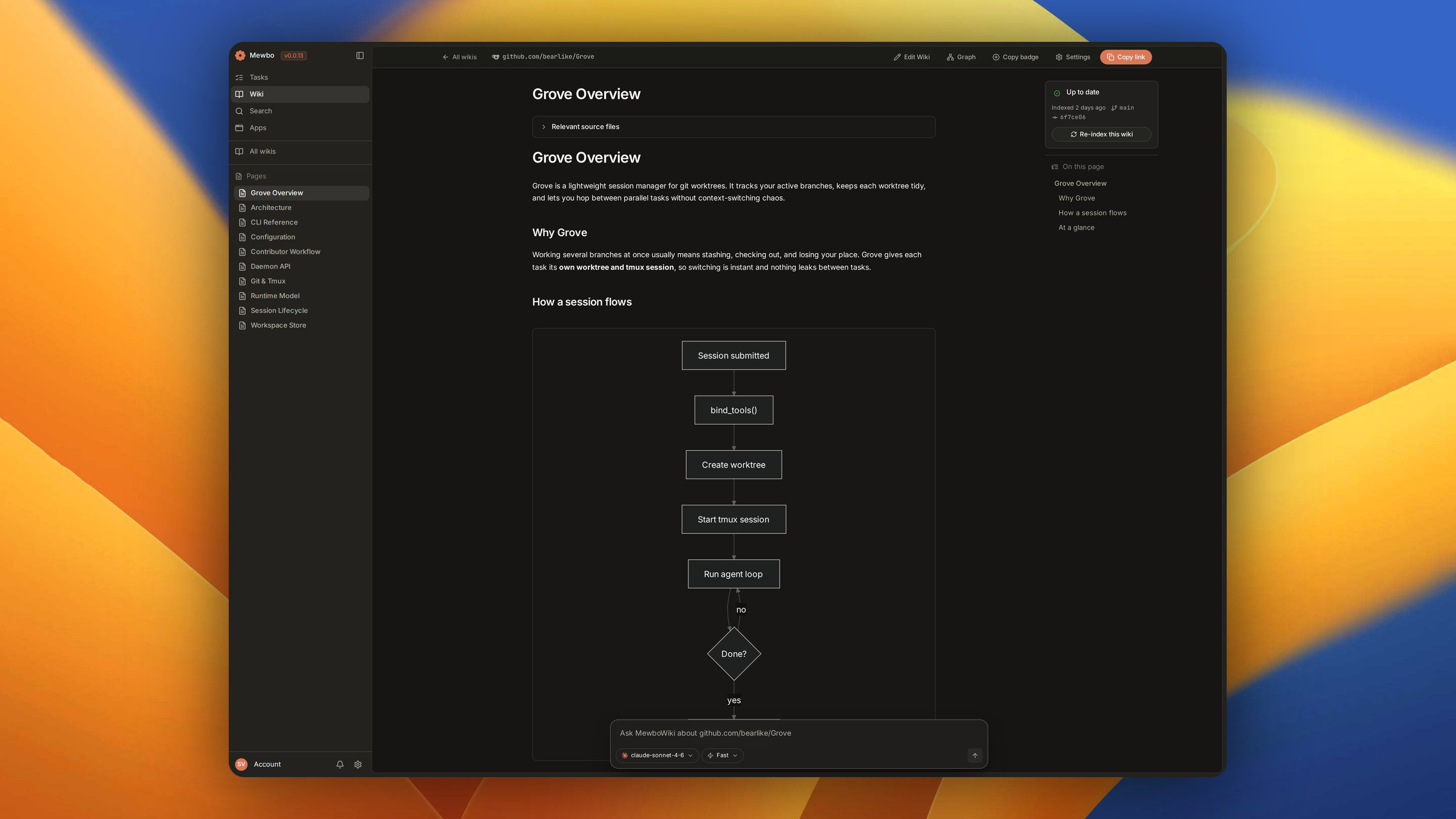
- An overview that reads like docs, not a file dump. Prose pages cover the runtime model, the architecture and the conventions, with flow diagrams. Each lists the Relevant source files behind it.
- A graph that makes answers traceable. Structural symbols, abstract entities and anchored notes are three layers of one graph, and there is a 3D view over it. → The Knowledge Graph
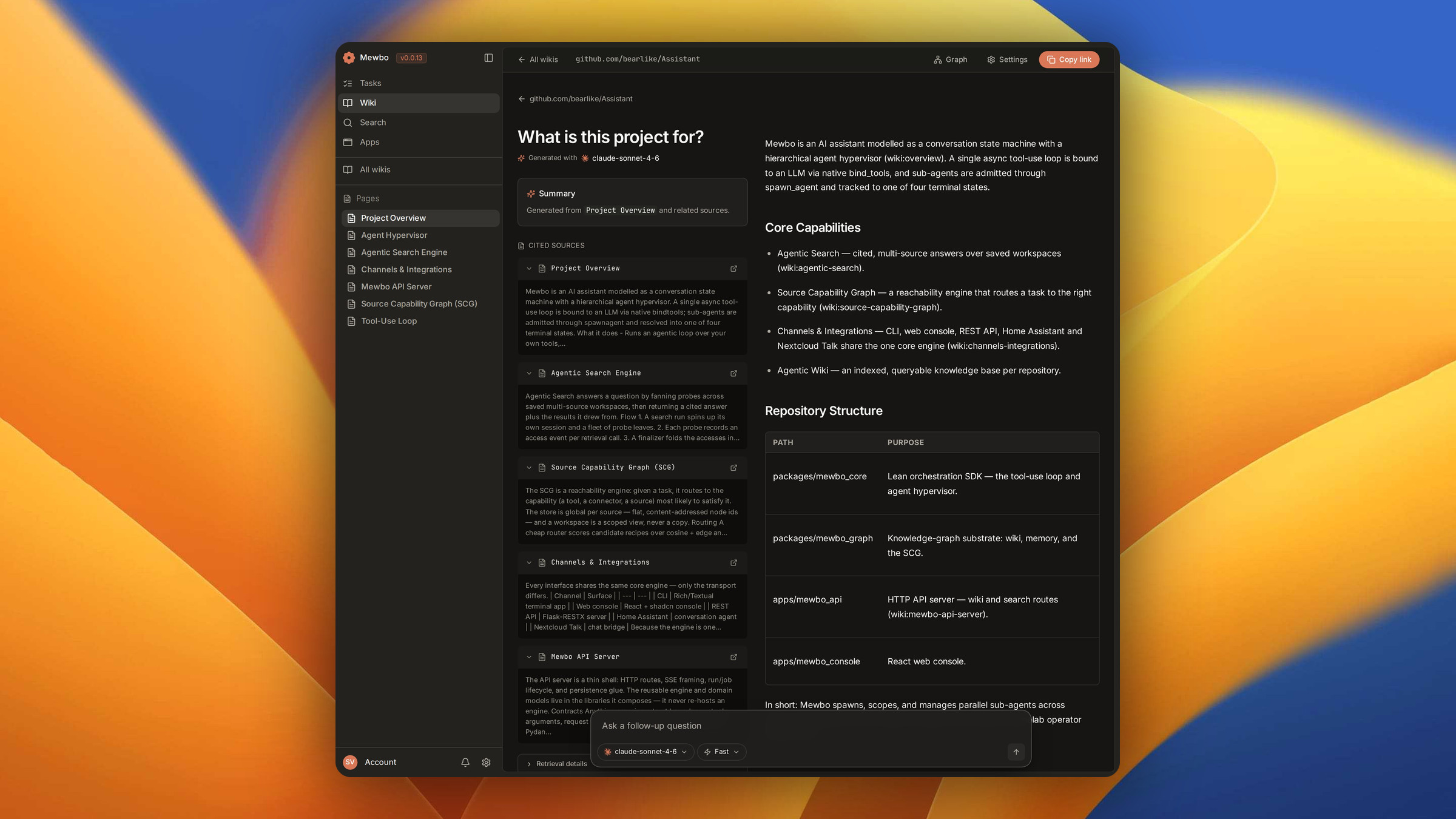
- Ask the Agentic Wiki. Every page carries an inline Q&A box. Pick a model and probe agents read the codebase in parallel before one cited answer is written. → Question Answering
- Copy badge. A markdown snippet for your README, linking back to the wiki.
Explore the docs
The Agentic Wiki has three moving parts.
Enabling it
The wiki ships as an optional extra on the API server.
# Install with the wiki extras
uv sync --extra wiki

# Run the API server
uv run mewbo-api
The /v1/wiki/* routes mount only when the extras resolve. Without them the server still starts and
the feature is absent. Storing wikis and streaming progress both need the MongoDB backend.
Tokens for a private repo are remembered
Access tokens entered during the indexing wizard are persisted, so re-index runs don't prompt you again. If a token is revoked or expires, the next re-index detects the failure and prompts for a replacement.
Going deeper
Sub-agents covers the delegation model that writes pages in parallel, and Architecture Overview covers the session runtime underneath.