Run and steer a task
A session is one conversation with the agent. The console is built around watching one run.
The session list and landing page
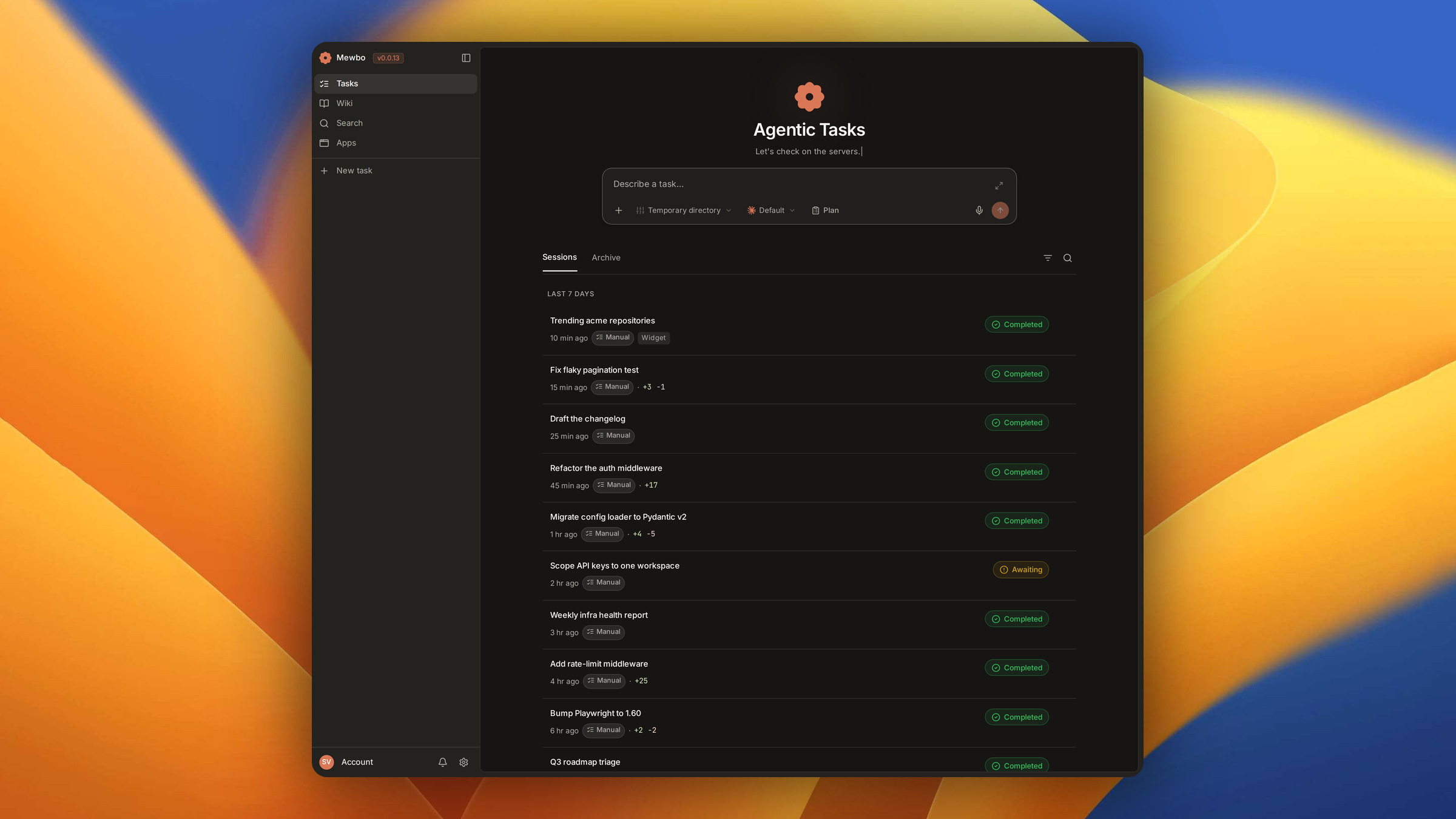
The console home is both the composer and the full task list, newest session first.
Not every session is yours to read. Mewbo spawns sessions internally for wiki indexing, search, realtime answers and Mewbo Apps work, and those would bury your own tasks. The landing page classifies each session by origin on the server and hides the internal kinds, leaving what you started plus your chat channels. An origin filter reveals the rest. Apps sessions also appear in the Apps product and mobile sessions in Aura's own rail. The filter and the chip live in HomeView and SessionOriginBadge.
Inside a session, the Tasks section of the left rail, sections.tsx, lists your recent tasks so you can switch between them without leaving the run. It honors the same default origin filter. On a phone the rail becomes a drawer.
Start a session with the composer
The defaults are enough for a first run. The controls below the composer, all wired through InputBar, scope the run before you submit.
Project scope. Pick which project the session runs in. Each project carries its own working directory, MCP server config and skills. A session can anchor to a branch of a project, or run inside an isolated git worktree so parallel sessions never collide. See Branches and Worktrees.
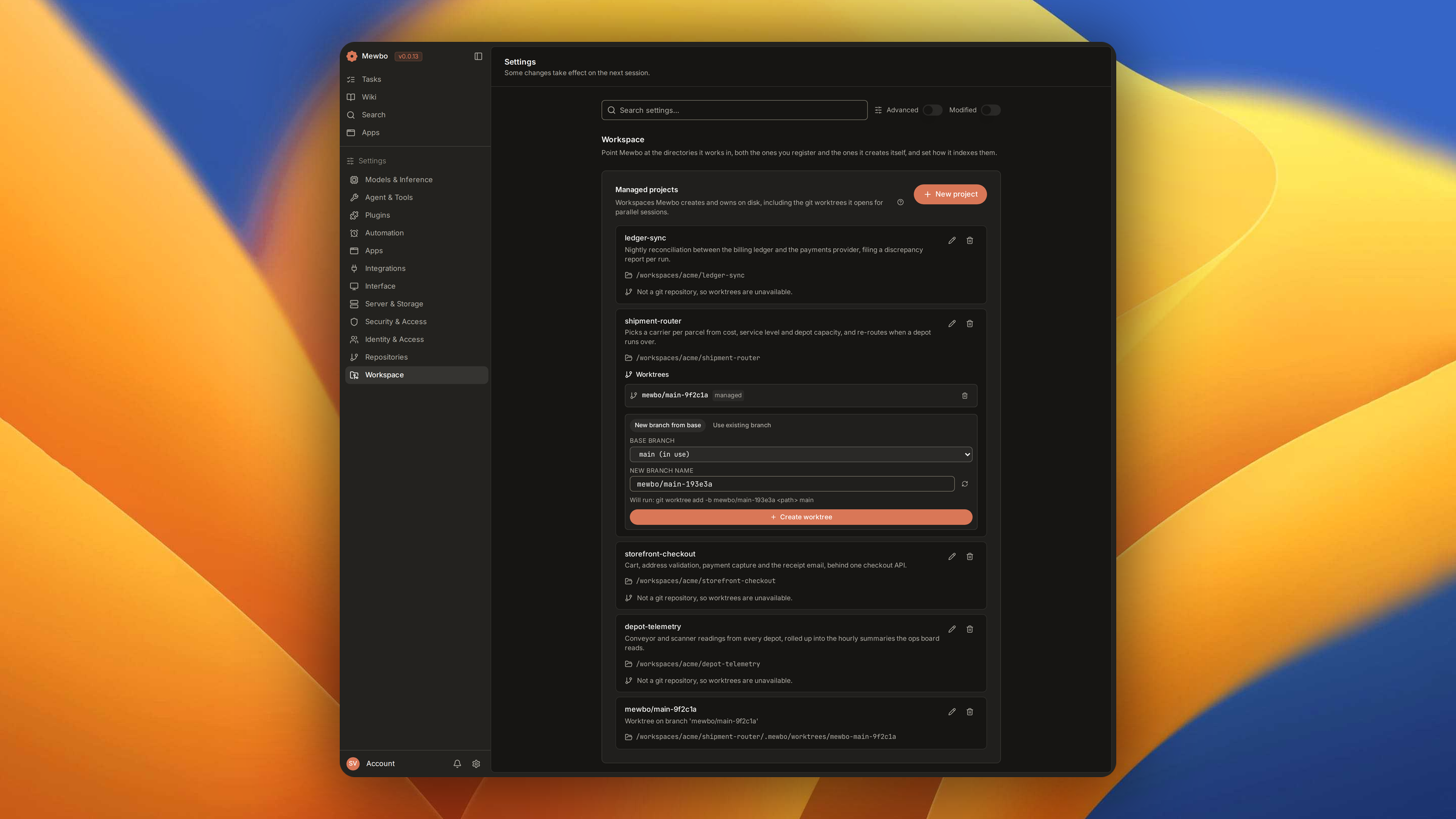
Model. Choose the model for the session, or for a single message without changing the session default. A fallback tab builds an ordered ladder. When the primary model keeps failing, the run escalates down the ladder in order.
Tool scope. Toggle which MCP tools the agent can use, drawn from the tools available on the selected project. A narrower set keeps the context lean.
Skills and references. Type / to browse skills and slash commands. Type @ to reference a file, a directory, a git diff or a URL, which expands into a bounded context block at submit time. Attaching a file injects its content.
Submit, and the console creates the session and opens its detail view.
Watch a run live
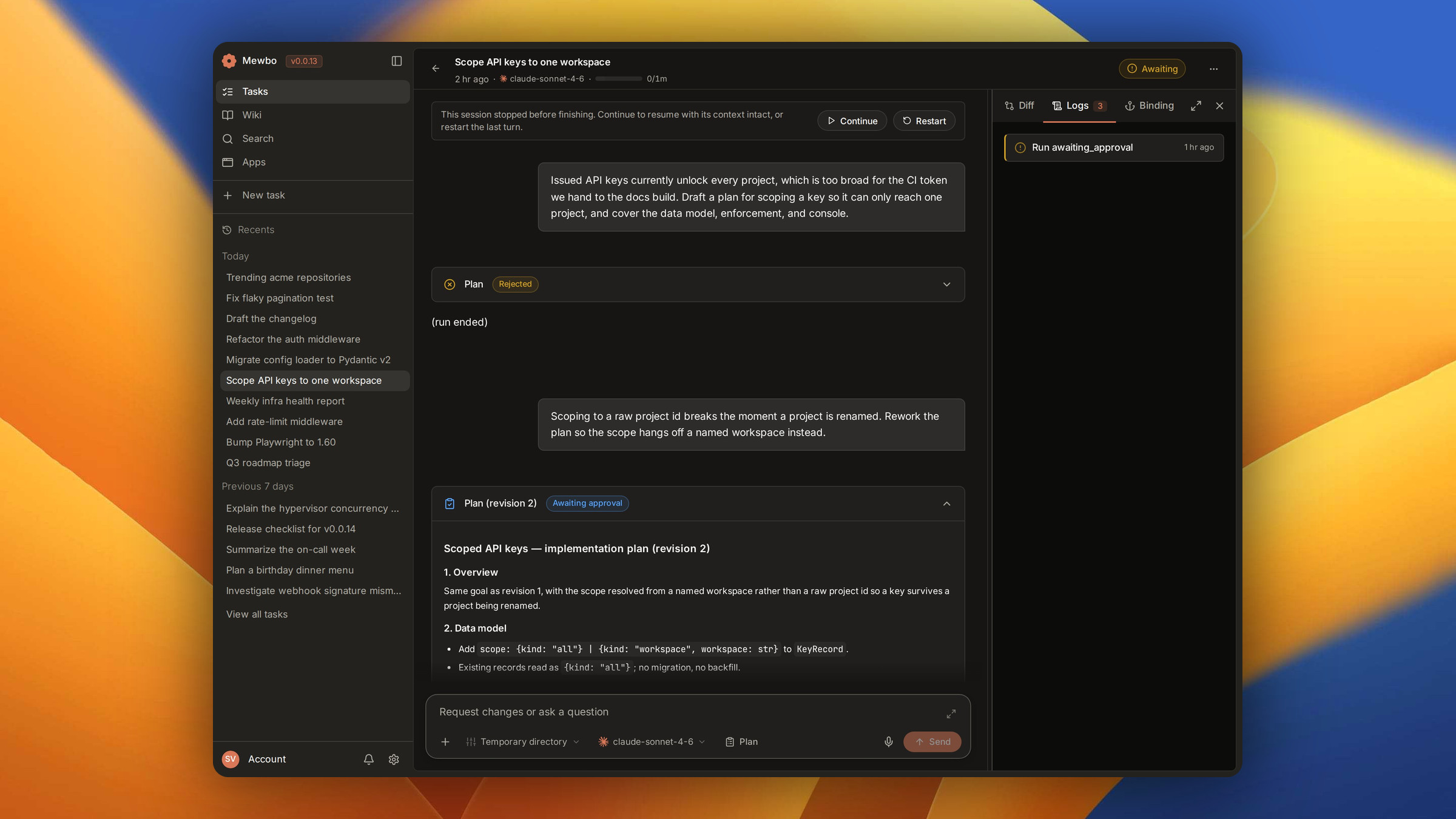
The detail view is an instrument panel. The conversation runs down the left, and tool output renders in the workspace on the right.
Streaming responses. The reply grows token by token, so you read the answer forming rather than waiting for the whole turn.
The progress card. When the agent lays out a plan, a live checklist tracks it and each item updates in place. TodoCard is driven by the progress events the agent emits, never by parsed text.
Live throughput. While a run is active, a readout shows elapsed time, live token rate and phase. The same RunTelemetry data renders compact in the composer strip and full in the workspace spinner, so status never splits into two competing readouts.
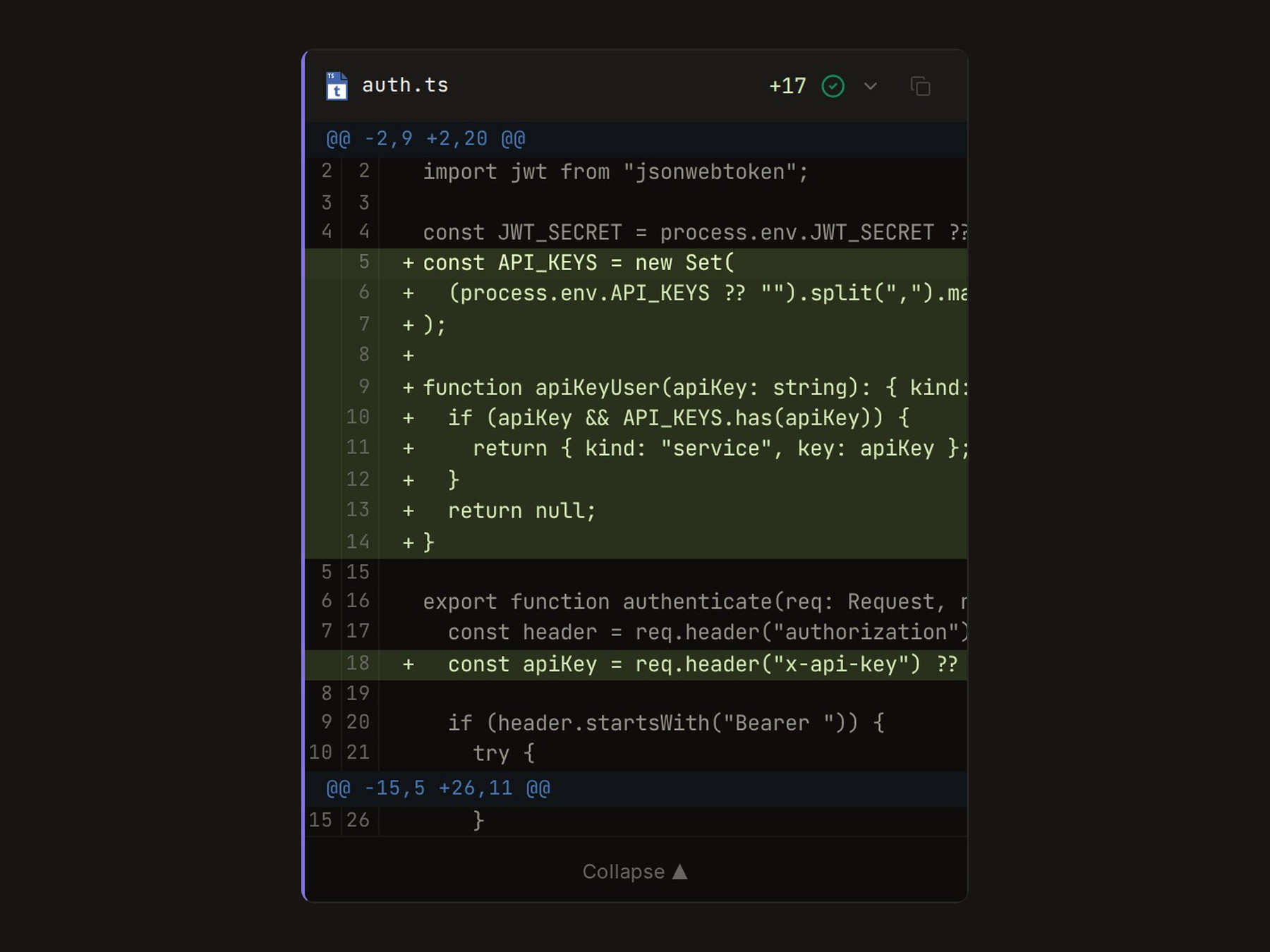
Tool output. Shell commands, file edits, file reads, permission prompts and completions render as cards. Plan approvals and file diffs get their own rich cards.
Follow sub-agent activity
Mewbo runs sub-agents for parallel or specialized work, and the console surfaces the whole tree rather than the root turn alone. An indicator tracks agents as they start and stop, each sub-agent's logs carry its lifecycle status and step count, and a finished result renders as a structured card.
Steer, interrupt, and share
The composer stays alive during a run.
Queue a message. Send while the run is active and the message is queued for the agent. The Send button becomes Queue.
Stop the run. A Stop control appears in the composer. Stopping is destructive, so it asks you to confirm twice before it cancels.
Fork from a message. Hover any message and fork from that point. The console creates a new session with history up to that message, so a different path costs you nothing.
Share and export. Share a session for a read only link anyone can open without signing in. Export downloads its full payload.
The request shapes behind all four live in the REST API Reference.
Open a session from Wiki or Apps
An Open a session control on a wiki project's landing card or an app's detail screen jumps straight into the conversation about that one thing. Both reuse an existing session or create one, so the control always reads Open, never New. The wiki card uses POST /v1/wiki/projects/<slug>/session and the app header uses POST/api/apps/{app_id}/session, over one shared hook, useOpenTargetSession, so a failed mint shows one toast in either place.
Resume and recover a session
A session that stops before it finishes is recoverable, not lost. The model may fail repeatedly, or the run may be interrupted.
The console then offers two choices, both wired through the shared recovery hook in SessionDetailView. Continue resumes from where it stopped. Retry restarts the last turn. The last recoverable failure surfaces inline in the conversation, next to the controls.
Recovery is generic across the console. A stopped wiki indexing session routes back into its own indexing screen when you resume it.
Next steps
- Search and Wiki. Both product UIs, including the 3D code graph.
- Web IDE. A full browser IDE tied to a session.
- Widgets. Interactive panels rendered inline in a session.
- Branches and Worktrees. Anchor a session to a branch or an isolated worktree.
- REST API Reference. The session endpoints the console calls.