Get an interactive chart inline
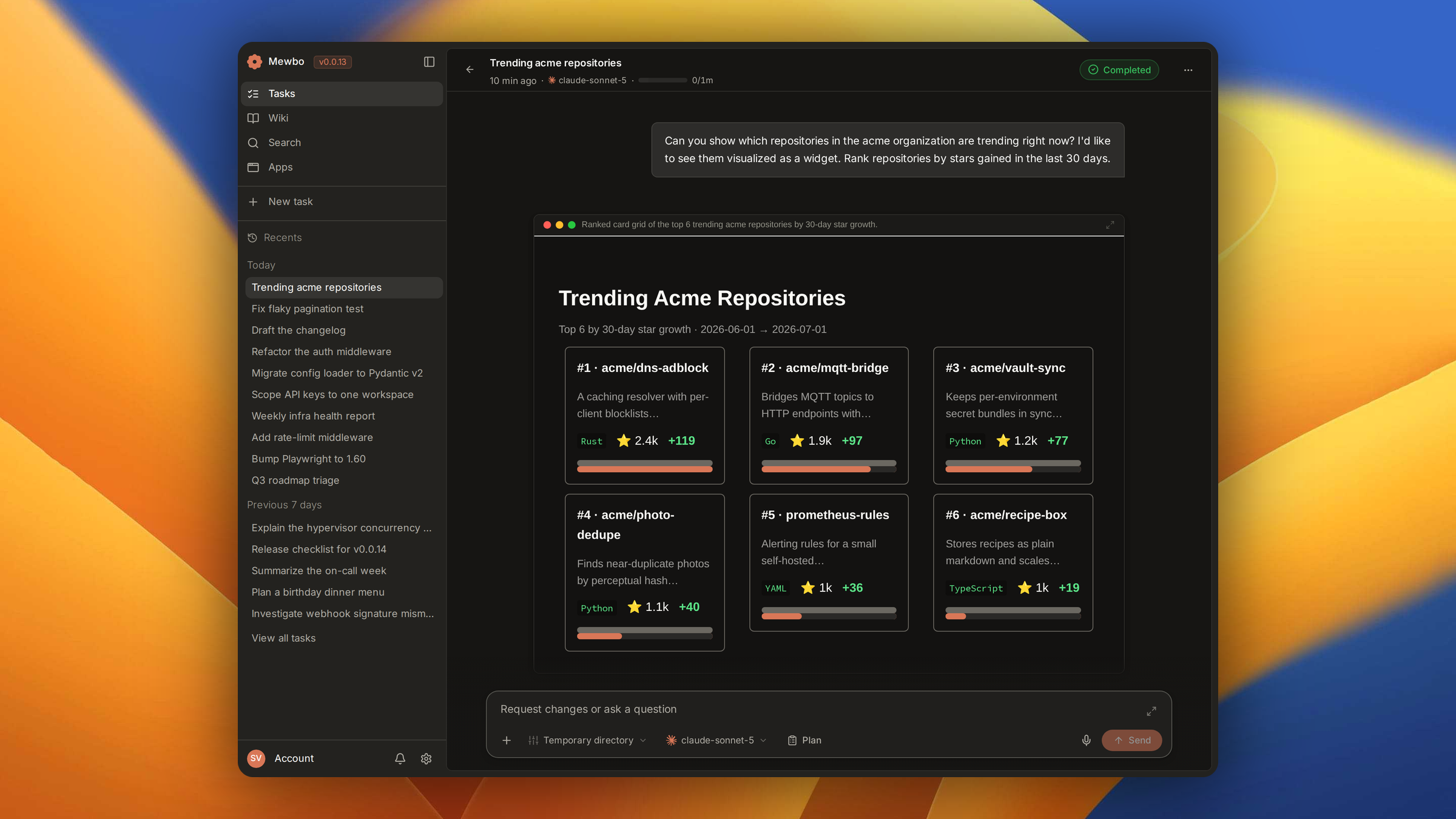
Ask Mewbo to visualize a result and an interactive widget appears inline in the conversation, with no separate tab and no external tool. It renders through StliteWidgetPanel, mounted in the timeline by WidgetCard.
When to reach for a widget
A widget earns its place when the result wants a chart or a control the reader can move. If the answer is already in hand and only needs laying out, a panel shows it in one step with nothing to build.
- Private data systems. Internal APIs, databases and pipelines with no reporting interface surface results as cards or charts on demand.
- Research and analysis. Repository metrics, search results, financial positions, or any dataset with several fields, read at a glance.
- Reference artifacts. Cheat sheets, comparison tables, sequence diagrams and snapshots that persist in the session.
How it works
A widget request routes to a dedicated sub-agent, which receives the request plus whatever data the root agent already gathered. The widget appears in the timeline the moment that sub-agent submits it. It runs in its own context, so it extends the session's token budget.
Sandboxed and persistent
Widgets run entirely in the browser, inside an isolated Web Worker. There is no server execution, no network access, and no shared state with the console or with other widgets. An error in one widget cannot affect your session.
All data is baked in at build time from values the agent already collected, with no live calls after the widget loads. State is written to disk at creation, so a widget from a previous session still persists. Ask for a fresh widget when the underlying data changes.
Component library
The library ships repository cards, search result cards, stock tickers, diagrams and more. Adding one is a file drop. Put a new file in the plugin's component directory and the agent discovers it at the start of the next session, with no configuration. That is how a team keeps a private set of branded cards, layouts for one domain, or internal visualizations.
Availability
Widgets are exclusive to the console, the one surface that advertises rendering capability, and the API gates the builder on that signal. No CLI, REST, email or chat session sees it. The feature is on by default. For the capability model behind that, see Plugins and Marketplace.
Next steps
- Panels. A lighter way to show structure inline, with no build step.
- Sessions. The session that hosts a widget in its timeline.
- Plugins and Marketplace. The capability model that gates widgets per surface.
- Get Started. Launch the console and run your first session.