Follow a run and approve it
The terminal client renders one turn at a time on a single screen, with the transcript in the middle and a sidebar beside it.
The live transcript
The transcript streams the agent's reply as the tokens arrive. The rendering lives in transcript_render.py.
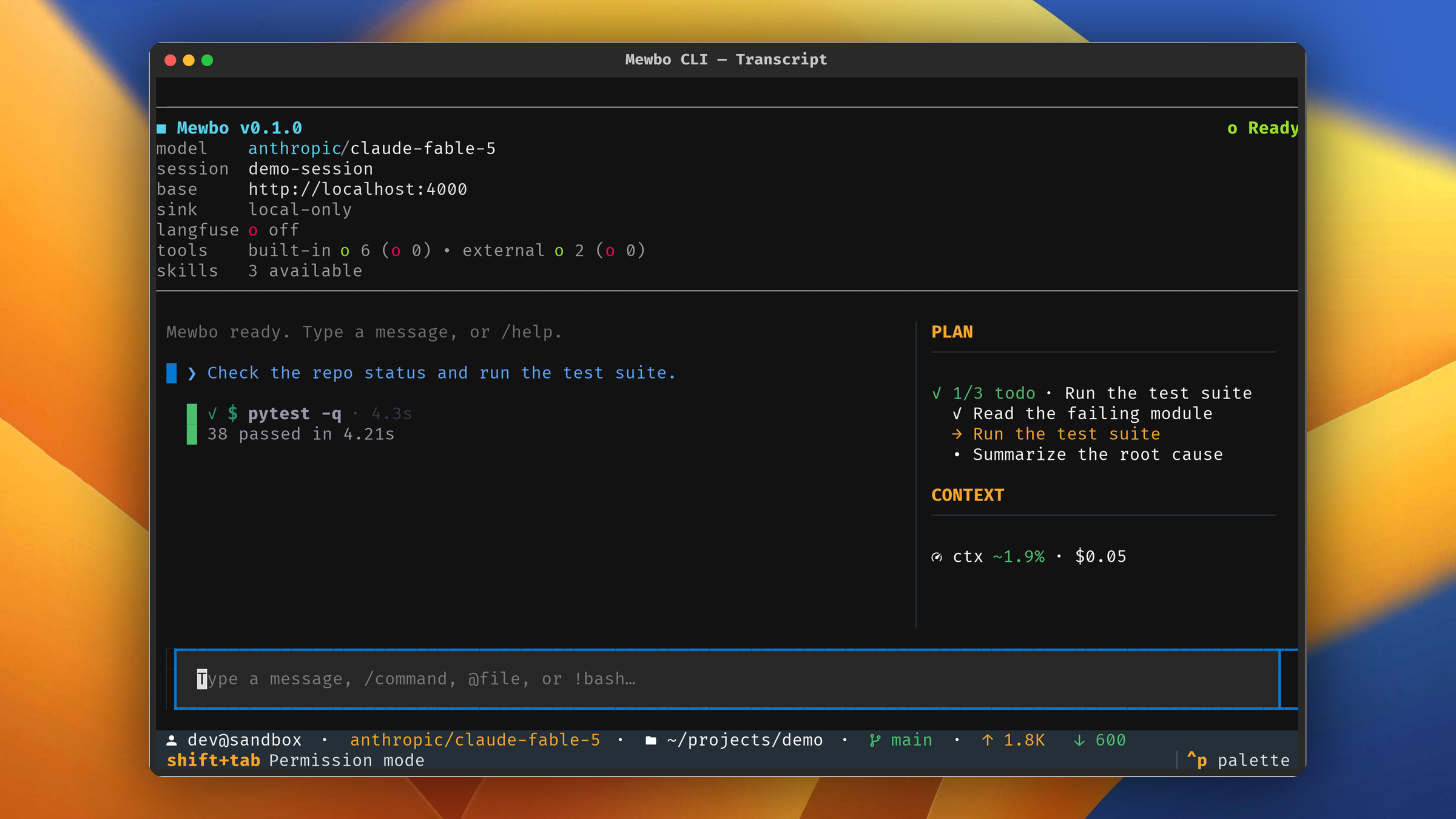
Tool calls appear inline as cards, in the exact order the agent ran them. The card style tells you the kind of work at a glance.
- A file read is a compact single line naming the file and its line count. Reads are frequent, so the card carries no body.
- A shell command renders as a terminal block, with the command in bold and its output below.
- An edit or a write renders as a colored diff. Added lines are green and removed lines are red.
- Any other tool unwraps its result, or prints readable JSON when there is no simpler form.
A running card is bright and full weight. A finished one settles into a muted line with a check mark and its elapsed time, a failed one with a cross.
The footer carries a live throughput readout, either the streaming rate, an upload phase, or a running tool's elapsed seconds. A stall flips it to a stalled indicator. A settled turn collapses it into a short done summary with the total time.
The plan and todo dock
When the agent tracks a working list, a dock appears in the sidebar with an N/M count and one line per item. Each item carries a status marker, done, in progress, or pending, and exactly one item is in progress at a time. The dock widget lives in todo_panel.py.
Permission prompts
Mewbo asks before it does anything that changes your machine. Your permission rules settle most calls, and the terminal opens a modal only for what is left. The client side logic lives in permission_service.py.
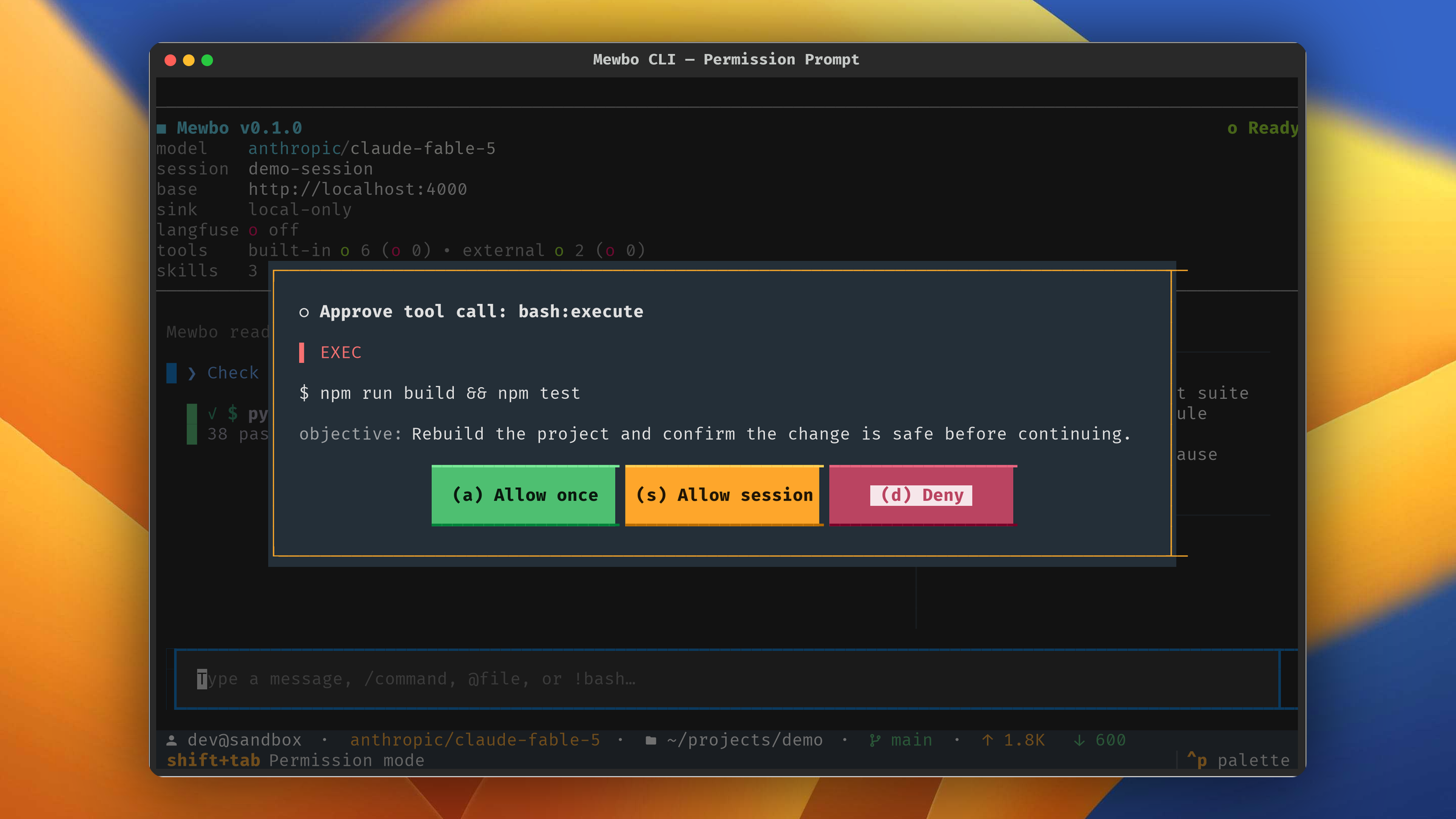
The modal shows the real payload, not a summary. You resolve it with a single key, through permission_modal.py.
- A allows this one call.
- S allows every call of this tool and action for the rest of the session. The grant is held in memory and dies with the run.
- D denies the call. Esc also denies, so the safe choice is the easy one.
Press Shift+Tab to cycle the permission mode, from the normal prompt, to automatically accepting edits, to plan mode. The current mode shows in the footer.
Plan mode approval
Plan Mode pauses the agent before it touches anything. The terminal renders the proposal as one bordered card titled Proposed plan, in full Markdown rather than raw JSON, and hides the planning steps behind it. The card is the only decision surface.
You resolve it with a single key, through plan_modal.py.
- A approves the plan and runs it. The session switches to act mode and executes.
- K keeps planning. Send your refinement as your next message. Esc also keeps planning, so it is the safe default.
- R rejects the plan and abandons the proposal.
Next steps
- Agent Fleet covers how the transcript extends when the agent delegates to sub-agents.
- Configuration covers flags, the config chain, and session recovery.
- Remote Sync covers keeping the transcript local, or opting into a remote mirror.